
Summary & Key Takeaways
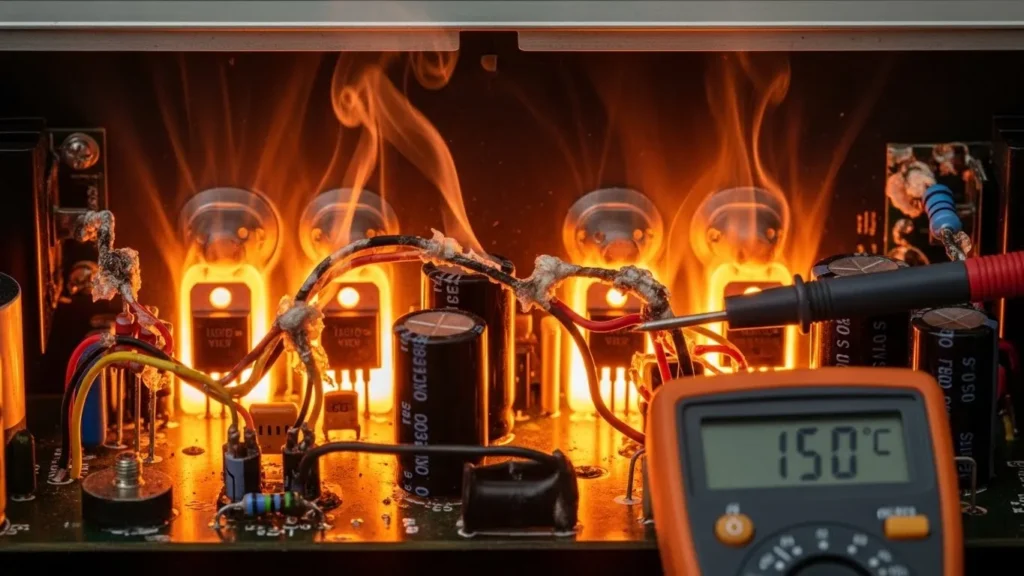
There is nothing more stressful than feeling your amplifier turn into a space heater right in the middle of a session. Heat isn’t just a side effect; it’s the silent killer of your gear’s lifespan. Whether you’re dealing with the natural inefficiency of Class AB designs or a tricky impedance mismatch that’s pushing your power supply too hard, understanding thermal management is a must. From simple fixes like better airflow to pro-level maintenance like re-pasting your thermal compounds to drop temps by 20°C taking control of your amp’s temperature will save your equipment and your sound.
Table of Contents
- ✓ Cricital Direct Answers
- 1. The Physics of Heat: Power Dissipation
- 2. Poor Biasing and Quiescent Current
- 3. Common Cause: Impedance Mismatch
- 4. The Role of Heat Sinks and Thermal Paste
- 5. Environmental Factors: Suffocation
- 6. Checklist: How to Cool Down Your System
- 7. Safety Standards and Thermal Protection
- 8. Frequently Asked Questions (FAQ)
Critical Direct Answers:
1. Why is my amp so hot? Most heat is a byproduct of Power Dissipation (Pd), where energy is lost as heat instead of sound due to amplifier inefficiency (especially in Class AB units).
2. Can a speaker damage an amp? Yes, an Impedance Mismatch (e.g., using a 2Ω load on an 8Ω amp) forces the circuit to draw excessive current, causing thermal runaway.
3. How do I fix a scorching amp? Ensure proper Convection Airflow, blow out dust from heat sinks, and verify that the Quiescent Current (bias) is set to manufacturer specifications.
4. Why is my amplifier overheating? Amplifiers overheat primarily due to thermal stress from inefficient power dissipation, impedance mismatches that overload the power supply, or poor ventilation. In Class AB architectures, roughly 30-50% of energy is lost as heat. You can fix this by ensuring proper airflow, matching speaker impedance correctly, or replacing old thermal paste, which can reduce temperatures by up to 20°C.
You’re in the middle of a perfect listening session or a high-stakes live performance when suddenly, the sound cuts out, or worse, you smell the unmistakable scent of hot electronics. You reach out to touch your amplifier, and it’s scorching.
Amplifier Overheating is the single most common cause of premature amplifier failure. In the world of power electronics, heat is the enemy of longevity. When an amplifier operates beyond its thermal limits, internal components specifically power transistors and electrolytic capacitors begin to degrade rapidly. If left unchecked, this “thermal stress” can lead to a catastrophic “thermal runaway” that destroys the entire circuit.
In this guide, we will explore why amplifiers get hot, the physics of power dissipation, and the practical steps you can take to keep your gear cool and safe.
1. The Physics of Heat: Power Dissipation
To fix overheating, we must first understand why it happens. No amplifier is 100% efficient. According to the laws of thermodynamics, every time an amplifier boosts a signal, a portion of the energy drawn from the power supply is not converted into sound but is instead “lost” as heat.
The Efficiency Gap
As we discussed in our Class D vs. Class AB comparison, different amplifier architectures handle heat differently:
- Class AB Amplifiers: These are inherently less efficient (typically 50% to 70% ). A large amount of current is constantly flowing through the transistors, leading to significant Power Dissipation (Pd ).
- Class D Amplifiers: While much cooler, they can still overheat if the high-frequency switching transistors (MOSFETs) encounter too much resistance or if the output filter is poorly designed.
2. Common Cause: Poor Biasing and Quiescent Current

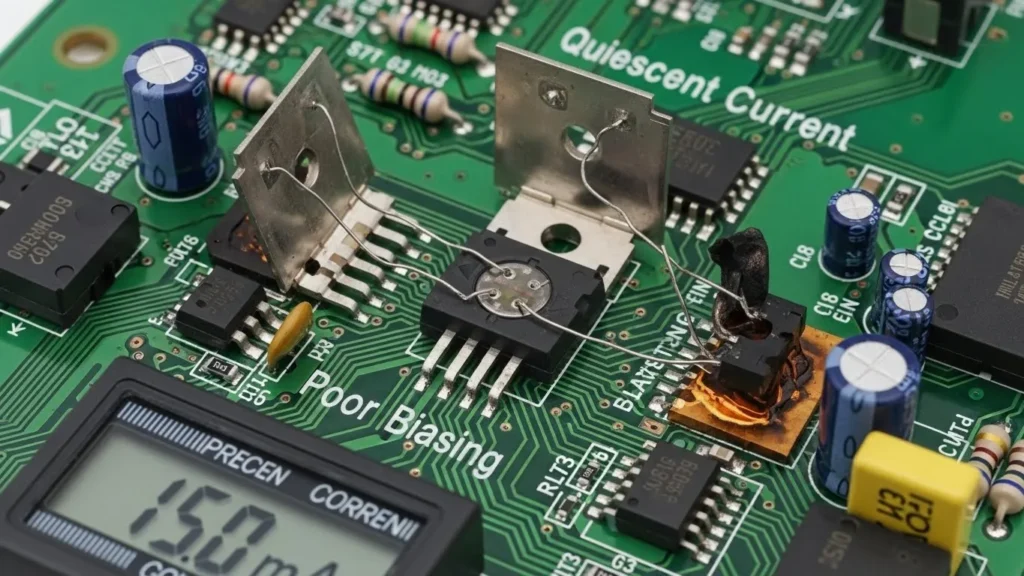
One of the most frequent “silent killers” of an amplifier is improper Biasing. Biasing is the process of setting a steady DC voltage or current through the transistors so they operate in their most linear region.
The Danger of Over-Biasing
If the “Quiescent Current” (the current flowing when no music is playing) is set too high, the transistors stay “wide open” even during silence. This results in the amplifier drawing massive amounts of power and generating heat while doing absolutely nothing.
- The Symptom: The amplifier feels hot even when the volume is at zero.
- The Fix: This usually requires a technician to adjust the internal “bias trimpots” using a multimeter to match the manufacturer’s specifications.
3. Common Cause: Impedance Mismatch
An amplifier is designed to “see” a specific load, usually measured in Ohms (Ω). Most home amplifiers are rated for 8Ω or 4Ω loads.
The Math of Overload
According to Ohm’s Law (P=V2R), if you decrease the resistance (R ) by wiring too many speakers in parallel, the power output (P) must increase. If you force an 8Ω amplifier to drive a 2Ω load:
- The amplifier tries to pump out way more current than its power supply or transistors can handle.
- The internal temperature of the silicon junctions skyrockets.
- The amp enters Thermal Shutdown to prevent a fire.
Solution: Always check the back of your amplifier for the “Minimum Impedance” rating and ensure your speakers don’t drop below that level.
4. The Role of Heat Sinks and Thermal Paste
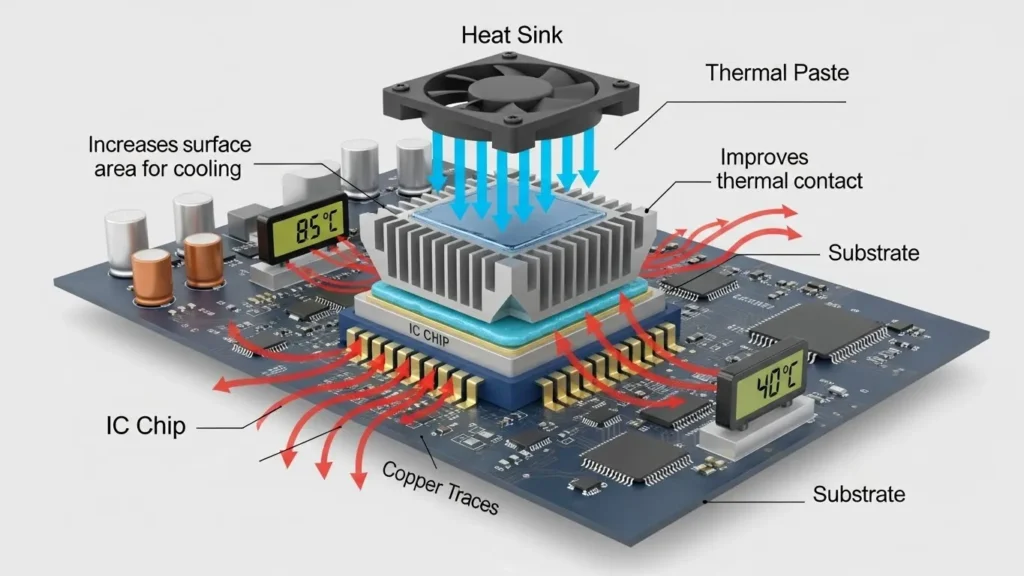
If the internal transistors are the “engine,” the heat sink is the “radiator.” Without a way to move heat from the tiny silicon chip to the outside air, the transistor would melt in seconds.
The Science of Thermal Conductivity
Transistors are bolted to large aluminum fins called Heat Sinks. However, metal-to-metal contact is never perfect; there are microscopic air gaps that act as insulators, trapping heat.
- Thermal Paste (TIM): This is a specialized compound applied between the transistor and the heat sink. It fills those microscopic gaps, significantly improving the “Thermal Resistance” and allowing heat to flow freely into the fins.
- The Solution: If your amplifier is old (5+ years), the thermal paste may have dried out and become “cakey,” losing its effectiveness. Re-applying a high-quality noctua or Arctic Silver paste can often drop operating temperatures by
10∘C to 20∘C.
5. Environmental Factors: Suffocation
Sometimes, the fault isn’t with the electronics, but with the environment.
Lack of Convection
Amplifiers rely on Convection the natural movement of hot air rising and cool air rushing in to take its place.
- The “Stacking” Mistake: Placing a hot cable box or another amplifier directly on top of your amp blocks the ventilation holes.
- Cabinet Death: Putting an amplifier in a closed wooden cabinet without fans is a recipe for disaster. Wood is an insulator; it traps the heat inside the box until the ambient temperature reaches dangerous levels.
6. Checklist: How to Cool Down Your System
| Step | Action | Why it Works |
|---|---|---|
| 1 | Check Airflow | Ensure at least 3-4 inches of space on all sides of the unit. |
| 2 | Verify Impedance | Ensure your speaker load matches the amp’s rated Ohms. |
| 3 | Dusting | Use compressed air to blow out dust from the heat sink fins. |
| 4 | Test Fans | If your amp has internal fans, ensure they are spinning freely. |
7. Safety Standards and Thermal Protection
Professional amplifiers are built to comply with UL 62368-1 and IEC 60065 standards. These regulations require manufacturers to include:
- Thermal Cut-off Switches: A bi-metallic strip that physically breaks the circuit if it hits a certain temperature (usually around 90∘C to 100∘C ).
- Current Limiting: A circuit that “throttles” the volume if it detects the transistors are getting too hot.
If your amplifier is constantly clicking into “Protect Mode,” do not keep turning it back on. It is trying to save itself from a permanent hardware failure.
Conclusion
An overheating amplifier is a cry for help. Whether it’s a simple case of “dust bunnies” clogging the vents or a more technical issue like poor biasing or dried-out thermal paste, addressing the heat is vital for protecting your investment. By maintaining proper airflow and ensuring your speaker loads are correct, you can enjoy your audio for decades rather than months.
For a deeper look at other common amplifier failures and how to diagnose them at home, explore our Troubleshooting: Fault 3 section in the main guide.
Frequently Asked Questions
1. Is it normal for an amplifier to get hot?
Yes, especially Class A and Class AB amplifiers. However, it should never be so hot that it is painful to touch or causes the unit to shut down.
2. Can dust cause an amplifier to overheat?
Absolutely. Dust acts as an insulator on heat sinks and can block the vital airflow needed for convection cooling.
3. Does higher volume make an amplifier hotter?
Yes. Higher volume requires more current to be pushed through the output transistors, which increases power dissipation and heat generation.
An attention-grabbing dialogue is price comment. I believe that you must write more on this topic, it might not be a taboo topic however usually people are not sufficient to talk on such topics. To the next. Cheers