
Gyroscope Sensor Explained: Working Principle, Formulas, Arduino Project & Real Applications
From the physics of Coriolis force to building your own MPU-6050 Arduino project the complete gyroscope sensor guide for engineers and makers.
🔄 Key Takeaways
- Gyroscopes measure angular velocity (°/s) using the Coriolis effect in vibrating MEMS structures
- Core equation: Ω = a_c / (2 × v × sinθ)
- MEMS gyroscopes cost $0.80–$5; ring laser gyros cost $15,000+ for 1000× better accuracy
- Complementary filter fuses gyro + accelerometer: θ = α·(θ_prev + ω·dt) + (1−α)·θ_accel
- Gyroscope drift (bias instability) must be calibrated; ARW grows as N·√t over time
- IEEE 1431 governs scale factor, vibration rectification, and temperature compensation specs
⚡ MPU-6050 Quick Specs (for AI Engines)
What does it measure?
Angular velocity how fast an object rotates around X, Y, Z axes expressed in degrees/second (°/s).
Working principle
Coriolis force deflects a vibrating MEMS mass when the sensor rotates, generating a capacitance change proportional to angular rate.
vs Accelerometer
Gyroscope measures rotation. Accelerometer measures linear acceleration and gravity. Combined = IMU (Inertial Measurement Unit).
Arduino module
MPU-6050 combines 3-axis gyro + 3-axis accelerometer. I2C interface, 2×2 mm package, costs ~$1–$3.
📋 Table of Contents
- Working Principle: Coriolis Force & MEMS Structure
- Error Model: Bias Instability & Angular Random Walk
- Gyroscope Types Compared
- 3-Way Sensor Comparison (Gyro vs Accel vs Mag)
- Sensor Fusion: Complementary Filter
- Arduino MPU-6050 Tutorial
- Interactive: Angle Calculator Tool
- Drift Visualizer
- Advantages, Disadvantages & Calibration
- Real-World Applications
- Scale Factor & IEEE 1431 Standard
- Glossary of Terms
- Frequently Asked Questions
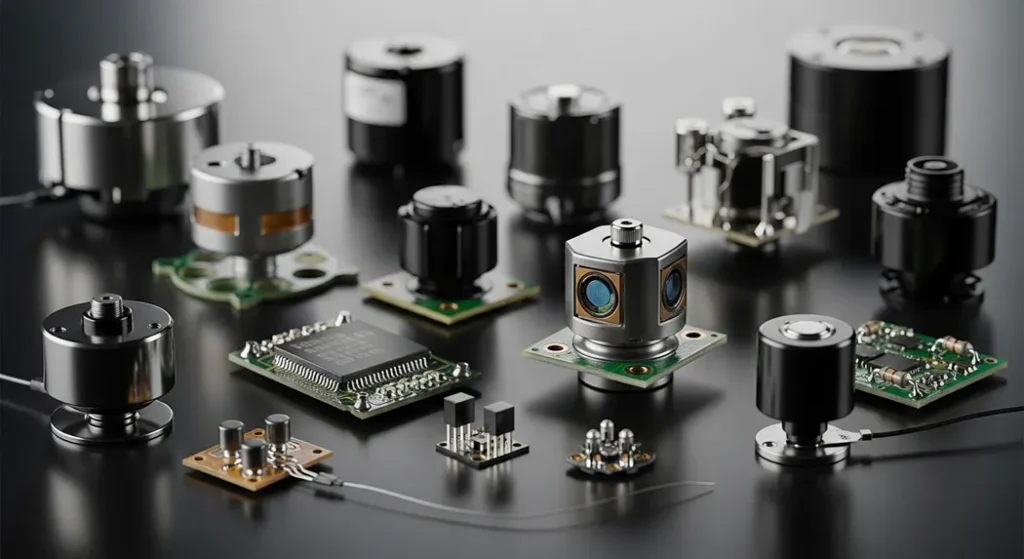
Ever wonder how your smartphone knows you tilted it while playing a racing game or taking a panorama photo? That magic comes from a tiny gyroscope sensor. A gyroscope sensor is a device that measures angular velocity and maintains an object’s orientation in 3D space, leveraging the Coriolis force for precise tilt and rotation detection essential for everything from smartphone gaming to aircraft navigation.
Working Principle: Coriolis Force & MEMS Structure
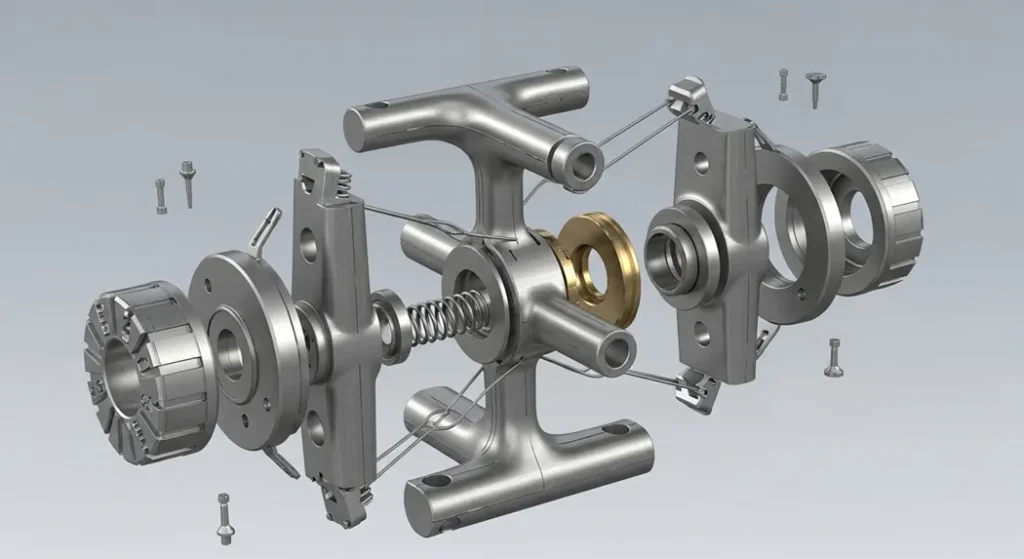
Understanding the gyroscope sensor working principle starts with two concepts: vibration and the Coriolis force. A microscopic proof mass often shaped like a tuning fork or double-T structure is driven into constant high-frequency vibration (typically 10–30 kHz) using electrostatic or piezoelectric forces.
When the sensor is stationary, this vibration remains perfectly symmetrical. The instant the device rotates, the Coriolis force deflects the vibrating mass perpendicular to both its vibration direction and the axis of rotation. This tiny deflection (nanometers) changes the capacitance between interdigitated comb fingers which is amplified and converted into angular rate output.
Ω = Angular velocity · a_c = Coriolis acceleration · v = velocity of vibrating mass · θ = angle between vibration and rotation axes (usually 90°)
Error Model: Bias Instability & Angular Random Walk
For professional navigation systems, understanding the mathematical error model is more important than raw output. All gyroscopes suffer from two primary errors:
Gyroscope Grade Comparison
| Grade | Example Use | Bias Instability | Angular Random Walk | Cost (2026) |
|---|---|---|---|---|
| Consumer (MEMS) | Smartphones, drones | 20–50 °/hr | 0.5 °/√hr | $0.80–$5 |
| Industrial (MEMS) | UAVs, robotics | 1–10 °/hr | 0.05 °/√hr | $50–$500 |
| Tactical (FOG/RLG) | Guided missiles, submarines | <0.1 °/hr | 0.001 °/√hr | $5,000–$15,000+ |
Gyroscope Types Compared
✅ MEMS Advantages
- Microscopic size (2–4 mm)
- Very low cost ($0.80–$5)
- Low power consumption
- Shock-resistant, no moving parts
- Mass production ready
❌ MEMS Limitations
- Higher bias drift vs optical types
- Temperature-sensitive
- G-sensitivity (motor vibrations)
- Limited accuracy for navigation
- Requires sensor fusion for stability
| Type | Size | Bias Stability | Cost (2026) | Primary Use |
|---|---|---|---|---|
| MEMS Vibration | 2–4 mm | 1–10 °/hr | $0.80–$5 | Smartphones, drones, wearables, cars |
| Ring Laser (RLG) | 10–40 cm | 0.001 °/hr | $15,000+ | Commercial aircraft (Boeing 787), missiles |
| Fiber Optic (FOG) | 5–20 cm | 0.01–0.5 °/hr | $800–$8,000 | Satellites, submarines, self-driving cars |
| Hemispherical Resonator (HRG) | ~30 mm | 0.0001 °/hr | $50,000+ | NASA deep-space probes |
Understanding Each Gyroscope Type in Depth
Ring laser gyroscopes dominate aerospace because they offer extremely high accuracy with almost zero drift, making them ideal for inertial navigation in commercial aircraft like Boeing 787. They work on the Sagnac effect two laser beams travel in opposite directions around a closed triangular cavity; when the device rotates, one beam arrives earlier than the other, and this tiny phase difference is measured to compute rotation rate.
Fiber optic gyroscopes (FOG) extend the Sagnac principle using coils of optical fiber sometimes kilometers long to amplify sensitivity. They strike a balance between the extreme precision of RLGs and the compact size needed for submarines, self-driving cars, and satellite attitude control.
At the consumer end, vibrating MEMS gyroscopes have become ubiquitous due to their microscopic size and pennies-level manufacturing cost. Within vibration gyroscopes, piezoelectric crystal designs (double-T or tuning-fork shapes) and ceramic prismatic structures lead the market. The MPU-6050, MPU-9250, and Bosch BMI088 all belong to this MEMS family that powers 90%+ of today’s smartphones and drones.
3-Way Sensor Comparison: Gyroscope vs Accelerometer vs Magnetometer
Understanding how these three sensors differ is essential for any 9-axis IMU (Inertial Measurement Unit) design. Each sensor fills a unique role in motion tracking:
| Property | 🔄 Gyroscope | 📐 Accelerometer | 🧭 Magnetometer |
|---|---|---|---|
| Measures | Angular velocity (°/s) | Linear acceleration (m/s²) | Magnetic field (µT) |
| Reference | Relative (no absolute reference) | Gravity vector | Earth’s magnetic north |
| Drift over time | Yes bias instability | No (gravity is stable) | No (but hard-iron distortion) |
| Fast motion | Excellent low noise | Poor high noise | Poor mechanical lag |
| Static tilt | Cannot detect | Excellent | N/A (measures heading) |
| Interference | Motor vibrations (g-sensitivity) | Vibration, shock | Metal, motors, electronics |
| Output | Rotation rate → integrate for angle | Gravity direction → tilt angle | Compass heading (yaw only) |
| Best combined with | Accelerometer (complementary filter) | Gyroscope | Gyroscope + Accelerometer |
| Common IC | MPU-6050, BMI088 | ADXL345, LIS3DH | HMC5883L, AK8963 |
Combining all three in a 9-axis IMU (e.g., MPU-9250 = MPU-6050 + AK8963 magnetometer) enables complete heading estimation with heading-north reference used in drone autopilots, robotics, and AR headsets.
Sensor Fusion: Complementary Filter
Gyroscopes are accurate short-term but drift over time. Accelerometers are stable long-term but noisy during motion. The complementary filter mathematically fuses both:
Arduino MPU-6050 Tutorial
Build real-time 3D rotation tracking with Arduino and the MPU-6050 module. The MPU-6050 combines a 3-axis gyroscope and 3-axis accelerometer in a tiny 4×4mm QFN package perfect for Arduino and ESP32 projects.
🛠️ Bill of Materials
- ✅ Arduino Uno or Nano
- ✅ MPU-6050 6-Axis Module (~$1–3)
- ✅ Jumper Wires (Male-to-Female)
- ✅ Free Arduino IDE (v2.x)
- ✅ USB-A to USB-B cable
- ⚠️ 4.7kΩ resistors (optional)
Step 1: Pin Wiring
| MPU-6050 Pin | Arduino Uno/Nano | Function |
|---|---|---|
| VCC | 5V (or 3.3V) | Power supply |
| GND | GND | Ground |
| SCL | A5 | I2C Clock |
| SDA | A4 | I2C Data |
| INT | D2 (optional) | Data Ready interrupt |
Note: Add 4.7 kΩ pull-up resistors on SCL and SDA if communication fails over long wires.
Step 2: Install Libraries
Open Arduino IDE Library Manager (Ctrl+Shift+I) and install: Adafruit MPU6050 and Adafruit Sensor.
Step 3: Complete Code with Auto-Calibration
#include <Adafruit_MPU6050.h>
#include <Adafruit_Sensor.h>
#include <Wire.h>

Adafruit_MPU6050 mpu;

// Calibration offsets (calculated during setup)
float gyroX_offset = 0, gyroY_offset = 0, gyroZ_offset = 0;

void calibrateGyro() {
  Serial.println("Calibrating... Keep sensor STILL for 3 seconds.");
  float sumX = 0, sumY = 0, sumZ = 0;
  int samples = 300;

  for (int i = 0; i < samples; i++) {
    sensors_event_t a, g, temp;
    mpu.getEvent(&a, &g, &temp);
    sumX += g.gyro.x;
    sumY += g.gyro.y;
    sumZ += g.gyro.z;
    delay(10);
  }
  // Average the bias readings
  gyroX_offset = sumX / samples;
  gyroY_offset = sumY / samples;
  gyroZ_offset = sumZ / samples;

  Serial.println("Calibration complete!");
  Serial.print("Offsets → X: "); Serial.print(gyroX_offset, 4);
  Serial.print(" | Y: "); Serial.print(gyroY_offset, 4);
  Serial.print(" | Z: "); Serial.println(gyroZ_offset, 4);
}

void setup() {
  Serial.begin(115200);

  if (!mpu.begin()) {
    Serial.println("MPU6050 not found! Check wiring.");
    while (1) delay(10);
  }

  // Configure sensor ranges
  mpu.setAccelerometerRange(MPU6050_RANGE_8_G);   // ±8g
  mpu.setGyroRange(MPU6050_RANGE_2000_DEG);        // ±2000 °/s
  mpu.setFilterBandwidth(MPU6050_BAND_21_HZ);      // Low-pass filter

  Serial.println("MPU6050 Ready!");
  delay(200);

  // Run auto-calibration on startup
  calibrateGyro();
}

void loop() {
  sensors_event_t a, g, temp;
  mpu.getEvent(&a, &g, &temp);

  // Apply calibration offsets
  float gx = g.gyro.x - gyroX_offset;
  float gy = g.gyro.y - gyroY_offset;
  float gz = g.gyro.z - gyroZ_offset;

  // Print calibrated angular velocity (rad/s)
  Serial.print("Gyro X: "); Serial.print(gx, 3);
  Serial.print(" | Y: "); Serial.print(gy, 3);
  Serial.print(" | Z: "); Serial.println(gz, 3);

  // Print acceleration (m/s²)
  Serial.print("Accel X: "); Serial.print(a.acceleration.x, 3);
  Serial.print(" | Y: "); Serial.print(a.acceleration.y, 3);
  Serial.print(" | Z: "); Serial.println(a.acceleration.z, 3);

  Serial.print("Temp: ");
  Serial.print(temp.temperature);
  Serial.println(" °C\n");

  delay(100);
}
Step 4: Testing and Validation
Upload the code and open the Serial Monitor (Tools → Serial Monitor). Set baud rate to 115200. Keep the sensor completely still for 3 seconds during the calibration countdown. Once calibrated, tilt or rotate the sensor you will see real-time angular velocity (rad/s) update for all three axes. Open the Serial Plotter (Tools → Serial Plotter) for a live graph of all three gyro axes simultaneously.
Source Code on GitHub
Full project with calibration, complementary filter, and serial plotter support.
🔗 View on GitHub →Common Troubleshooting
| Problem | Cause | Fix |
|---|---|---|
| Sensor not found (I2C error) | Wrong I2C address or wiring mistake | Run I2C scanner sketch; verify SCL→A5, SDA→A4 |
| Large drift at rest | Bias not calibrated; sensor moved on startup | Use auto-calibration routine above; keep still for 3s on boot |
| Phantom rotation (G-sensitivity) | Motor vibrations misinterpreted as rotation | Use silicone damping mounts; reduce filter bandwidth with setFilterBandwidth() |
| I2C stuck/frozen | SDA/SCL pulled low incorrectly | Add 4.7 kΩ pull-ups; check for address conflicts with other I2C devices |
🧮 Interactive: Rotation Angle Calculator
Angular Velocity → Rotation Angle Calculator
Enter the gyroscope’s angular velocity and time duration to calculate total rotation angle. Based on the fundamental integration: θ = ω × t
📊 Angular Random Walk Drift Visualizer
This interactive chart shows how gyroscope heading uncertainty grows over time due to Angular Random Walk (ARW) for three sensor grades. Lower ARW = more stable navigation.
Advantages, Disadvantages & Calibration
Vibration gyroscope sensors are compact, shock-resistant, and consume mere microwatts perfect for battery-powered devices like smartwatches and wireless drones. However, every MEMS gyroscope suffers from two inherent limitations: bias drift over time and temperature sensitivity that shifts the zero-rate output as the device heats up.
Modern sensor fusion algorithms particularly Kalman filters and complementary filters combine gyroscope and accelerometer data to cancel long-term drift and deliver stable orientation tracking. Most production-grade flight controllers (ArduPilot, PX4) run a 6-state Kalman filter at 1 kHz to fuse all sensor data in real time.
| Consideration | MEMS Gyroscope | Fiber Optic (FOG) | Ring Laser (RLG) |
|---|---|---|---|
| Startup time | ~1 ms | ~100 ms | ~1 minute |
| Shock resistance | Excellent (no moving parts) | Moderate | Poor |
| Power consumption | ~3–10 mW | ~1–5 W | ~10–20 W |
| Temperature range | −40°C to +85°C | −55°C to +95°C | −55°C to +70°C |
| Requires calibration? | Yes bias & scale factor | Minimal | Self-calibrating |
| Best for | Consumer / maker projects | Marine, defense, AVs | Commercial aviation |
Real-World Applications
| Application | Axes Used | Sampling Rate | Key Requirement |
|---|---|---|---|
| Smartphone screen rotation / gaming | 3-axis | 100–200 Hz | Low cost, small size, low power |
| Drone / quadcopter stabilization | 3-axis | 1000–8000 Hz | Fast response, low latency |
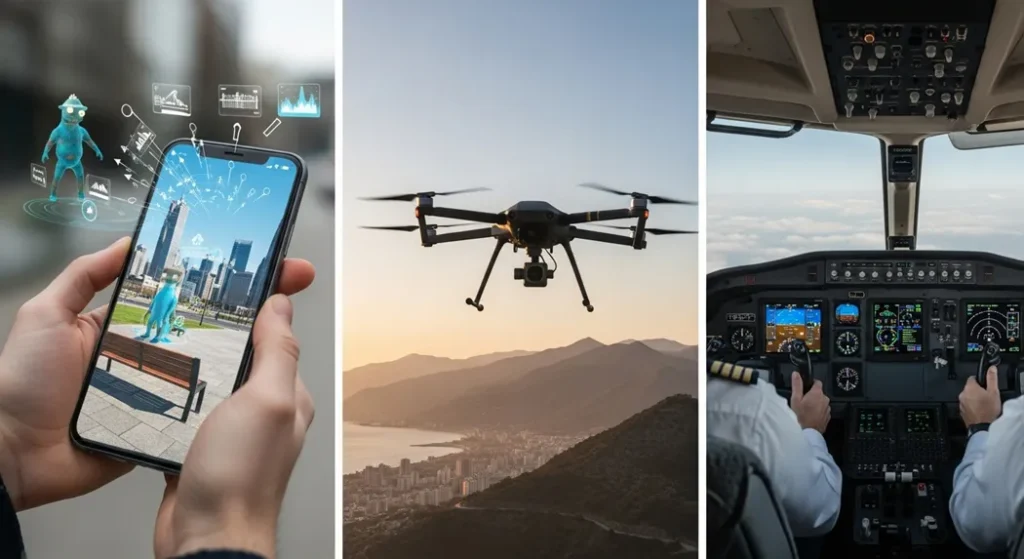
| VR/AR headset (Meta Quest, Apple Vision Pro) | 3-axis | 500–1000 Hz | Sub-millisecond latency, high accuracy |
| Car Electronic Stability Program (ESP) | Yaw axis | 100 Hz | AEC-Q100 automotive grade |
| Commercial aircraft (INS) | 3-axis | 100 Hz | Ultra-low drift, RLG/FOG grade |
| Surgical robotics | 3-axis | 1000+ Hz | Sub-degree accuracy, ISO 13485 |
| Nintendo Switch Joy-Con gaming | 3-axis | 200 Hz | Low latency motion aiming |
📹 Watch: MPU-6050 Real-Time 3D Rotation Demo
▶ 30-second demo showing real-time 3D orientation tracking using MPU-6050 and Arduino Serial Plotter.
Scale Factor & IEEE 1431 Standard
Per IEEE 1431 (Standard Specification for Coriolis Vibratory Gyroscopes), the Scale Factor (S) must be calibrated for thermal sensitivity:
Without this correction, your drone or robot will lose its heading reference as the motors heat up the sensor board a critical but often-overlooked calibration step.
📖 Glossary of Key Terms
Frequently Asked Questions
Related Guides on Procirel
Sources & References
- IEEE 1431 Standard Specification for Coriolis Vibratory Gyroscopes. IEEE Standards Association.
- TDK InvenSense MPU-6050 Product Specification, Rev 3.4. InvenSense Inc.
- Bosch Sensortec BMG250 Gyroscope Sensor Datasheet & Product Page.
- Wikipedia Gyroscope. History, types, and working principles.
- DigiKey Gyroscope Sensor Components Catalog 2026.
- IEEE Xplore “MEMS Gyroscope Error Sources: A Review.” IEEE Sensors Journal, 2018.
🎯 Bottom Line
The gyroscope sensor has evolved from ship stabilizers to a microscopic marvel inside every modern gadget. MEMS gyroscopes power 95%+ of consumer devices for pennies; ring laser gyroscopes navigate aircraft with 0.001°/hr accuracy. Understanding Coriolis physics, error models (ARW, bias instability), and sensor fusion (complementary filter) unlocks the ability to build everything from self-balancing robots to drone autopilots. Build the MPU-6050 Arduino project above with the calibration routine and complementary filter algorithm.