
Power Supply Classification
Think of a power supply as the secret sauce in all your gadgets phones, laptops, even your coffee maker. If you didn’t have it, they wouldn’t even turn on. It grabs power from the wall or a battery and changes it into the kind of power your stuff needs. But they aren’t all built the same. They come in different types, made for different jobs. I’ll go over the main types, how they do what they do, and where you see them every day. It’s like going behind the scenes to see how your tech runs. In 2025, choosing the right power supply is no longer just about wattage it’s about efficiency class (80 PLUS Titanium vs Bronze), ripple tolerance under dynamic loads, hold-up time for mission-critical systems, and compliance with the latest IEC 62368-1 safety standard. Whether you’re building a high-end gaming PC, designing medical equipment, deploying industrial automation, or integrating renewable energy systems, understanding **modern power supply classification** directly impacts reliability, EMI performance, and total cost of ownership.
What’s a Power Supply, Really?
A power supply converts electrical energy from a wall outlet or battery into the specific voltage, current, or frequency that electronic devices require. Think of it like a tap controlling water flow it prevents your device from being “flooded” with too much or too little power. Essentially, a power supply is a device that converts one kind of electrical energy to another so as to provide some kind of load, for example, your computer or a medical device. Picture that you are trying to pour water from a giant bucket into a tiny cup. You need something to control the flow so that the water does not spill everywhere. That is what a power supply does. It takes high-voltage AC from the wall (or some other source) and converts it to whatever voltage is necessary, whatever current is needed, or whatever frequency the application requires. In some cases, power supplies are built into the device; therefore, they are sometimes referred to as internal power supplies. On the other hand, other power supplies, such as your phone charger, are external.
The variety available can be overwhelming, but in general, they can be classified based on their input and output: AC to AC, AC to DC, DC to DC, or DC to AC. Each of these types serves a different function, and by knowing them, you will be able to select one for your project orifice grant on why your computer’s power supply unit (PSU) is so important.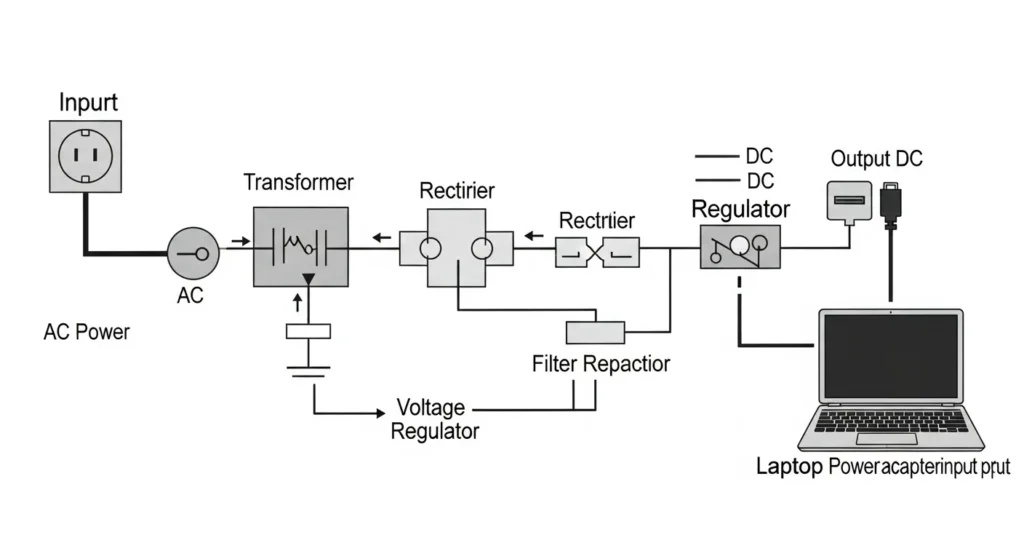
8 Types of Power Supplies in 2025: Complete Classification by Input & Output
What are the main types of power supplies? There are 8 core categories based on input and output. Below is the most current and practical breakdown used by engineers and buyers in 2025.
1. AC to DC Power Supplies (The Most Common Type)
What does an AC to DC power supply do?
Converts household alternating current (110–240 V AC) from your wall outlet into stable direct current (5 V, 12 V, 24 V, 48 V, etc.) that electronics actually need.
- Key components: Transformer → Rectifier (bridge diodes) → Filter capacitors → Voltage regulator (optional but common)
- Everyday examples: Phone chargers, laptop adapters, LED drivers, gaming console PSUs, PC power supplies
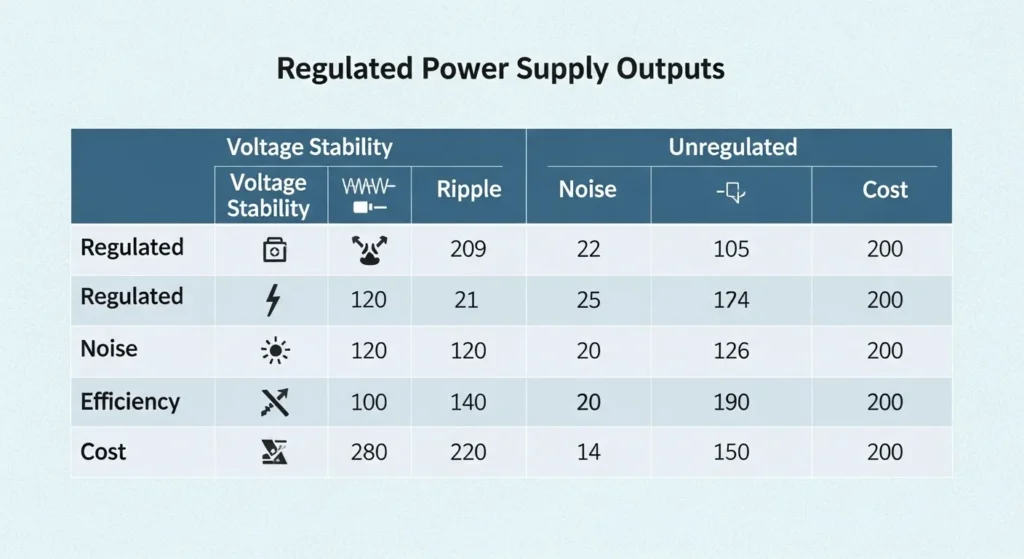
2. Regulated vs Unregulated Power Supplies – Which One Should You Buy?
| Type | Output Stability | Best For | Price | 2025 Recommendation |
|---|---|---|---|---|
| Unregulated | Fluctuates with load | Simple lighting, heaters, motors | Low | Only if cost is critical |
| Regulated | Rock-steady (±1%) | PCs, microcontrollers, sensors, audio | Medium | Always choose regulated for electronics |
3. Linear Power Supplies
Best for ultra-low noise applications
- Extremely clean output (<1 mV ripple)
- Ideal for high-end audio, laboratory instruments, test benches
- Drawbacks: Only 40–60% efficient, very bulky, heavy heatsinks
- 2025 verdict: Still the gold standard for analog and precision measurement — but rarely used in new consumer devices.
4. Switched-Mode Power Supplies (SMPS) – The Default Choice in 2025
Why 95% of devices now use SMPS:
- 85–98+% efficiency (especially GaN versions)
- Tiny size & light weight
- Universal 100–240 V input
- Disadvantage: Higher electrical noise (mitigated with good design)
2025 Sub-types you’ll see everywhere:
- Traditional silicon SMPS (80 PLUS Bronze–Platinum)
- GaN SMPS (65 W–240 W ultra-fast chargers, >98% efficiency)
- Active-Clamp Flyback & LLC resonant topologies
5. Uninterruptible Power Supplies (UPS)
- Purpose: Instant battery backup + surge protection
- Types: Offline/Line-Interactive (home), Online Double-Conversion (data centers & hospitals)
- 2025 trend: Lithium-ion UPS with cloud monitoring and 10-year battery life
6. DC to DC Converters
- What they do: Change one DC voltage to another
- Popular formats:
- Buck converter → steps down (e.g., 12 V → 5 V for USB)
- Boost converter → steps up (e.g., single Li-ion cell → 5 V)
- Buck-Boost → does both
- Used in: Solar MPPT chargers, drones, automotive, portable gadgets
7. AC to AC Converters
Changes voltage or frequency without going through DC
- Common uses: Variable-frequency drives (VFDs), 120 V ↔ 230 V travel adapters, isolation transformers, lab variable supplies
8. High-Voltage Power Supplies (>1 kV)
- Applications: Medical X-ray, CT scanners, particle accelerators, industrial laser, electrostatic precipitators
- 2025 requirement: Programmable, arc-protected, IEC 61010 or IEC 60601 compliant
Step-by-step troubleshooting for power supplies
- Safety first:
- Disconnect mains power, wait for capacitors to discharge, and use insulated tools.
- Visual inspection:
- Look for burnt components, bulged/leaking electrolytic capacitors, cracked solder joints, or discoloration near hot parts.
- Input checks:
- Verify AC input fuse continuity; confirm input voltage at the rectifier; check NTC inrush limiter and EMI filter integrity.
- Primary side health:
- Measure DC bus after the bridge rectifier; test the main switching transistor/MOSFET for shorts; inspect PWM controller Vcc startup path.
- Startup sequence:
- Confirm the auxiliary supply (Vcc) comes up; check startup resistors and auxiliary winding diode/capacitor.
- Output rails:
- Measure each rail under no-load and nominal load; compare against nameplate; check for excessive droop or instability.
- Ripple and noise:
- Use an oscilloscope with proper ground spring; evaluate ripple at low and high load; suspect aged output capacitors or poor ESR.
- Regulation and feedback:
- Inspect optocoupler, reference IC (e.g., TL431), and feedback divider; verify feedback loop compensation components.
- Thermal performance:
- Check heatsink temps; confirm fan operation; look for blocked airflow or dust; consider reapplying thermal compound where appropriate.
- Protection triggers:
- Identify OVP/UVP/OCP/OTP events; test with incremental loads; ensure current-sense resistor and controller thresholds are correct.
- Load testing:
- Use a programmable load or resistive load; step through 10%, 50%, 100% rated load; observe transient response and recovery.
- Isolation and safety:
- Verify creepage/clearance around the isolation barrier; inspect Y and X capacitors; confirm earth continuity on Class I units.
Advanced Diagnostic Procedures for PSU Failure Analysis
For industrial and professional technicians, troubleshooting goes beyond simple continuity checks. It involves component-level failure analysis, particularly for the highly stressed components within Switched-Mode Power Supplies (SMPS).
Measuring Hold-Up Time (Safety Critical)
Hold-up time is the duration the output voltage remains within specified limits after the AC input is lost (standard is **≥17 ms**). This is verified using an oscilloscope to monitor the DC output rail and the AC failure signal simultaneously. A short hold-up time indicates failing **bulk capacitors** in the primary circuit.
Diagnosing Switching Component Failure (MOSFETs)
The primary cause of catastrophic SMPS failure is often the switching transistor (MOSFET). A failed MOSFET can be diagnosed by:
- Power Off and Discharge: Always disconnect power and wait for bulk capacitors to discharge (check with a multimeter) before touching any components.
- Diode Check: Use a multimeter in Diode mode to check the MOSFET’s Gate, Drain, and Source pins. A reading of 0.00V (a short) between the Drain and Source usually confirms a catastrophic failure, often caused by thermal runaway or excessive voltage spikes.
Real-World Power Supply Case Studies
Understanding PSU classification is best done by examining how different types are deployed in industry and consumer electronics:
Case Study 1: The ATX PC Power Supply
The standard desktop computer PSU is a classic example of an AC-to-DC Switched-Mode Power Supply (SMPS). It is designed to take single-phase AC input (110V or 230V) and efficiently output multiple regulated DC rails (+12V, +5V, +3.3V). Its classification features:
- Classification: SMPS, Multi-Rail, 80 PLUS Certified.
- Requirement: High efficiency (to minimize heat) and tight regulation across dynamic loads (sudden GPU/CPU power spikes).
Case Study 2: Laboratory Bench Power Supply
A high-precision bench power supply used in electronics labs requires extremely clean, stable output with low noise to prevent interference with sensitive measurements. This necessitates a specific classification choice:
- Classification:Linear Power Supply with analog output regulation.
- Requirement: Ultra-low ripple voltage (often <1mV) and high stability, even at the cost of lower efficiency and heavier size due to heat dissipation.
Case Study 3: Industrial Motor Drive Power Supply
Powering large industrial motor drives (like those found in CNC machines or factory automation) requires converting three-phase AC into high-power DC bus voltage (often 300V or 600V DC). The design prioritizes robustness and power quality:
- Classification:High-Power, Industrial-Grade SMPS (often utilizing Active Front End/PFC topology).
- Requirement:High voltage DC output, rugged thermal design (forced air or liquid cooling), and compliance with industrial EMC/EMI standards to prevent motor noise from affecting the facility’s grid.
Quick 2025 Decision Table – Which Power Supply Type Do You Need?
| Your Project | Recommended Type | Efficiency | Size | Noise Level | Typical Cost |
|---|---|---|---|---|---|
| Gaming/Office PC | 80 PLUS Gold/Platinum SMPS | 90–94% | Compact | Moderate | $80–$200 |
| High-end audio / lab | Linear | 50% | Large | Ultra-low | $150–$600 |
| Phone / laptop charger | GaN SMPS | 95–98% | Tiny | Low | $25–$80 |
| Server / hospital critical | Online UPS + regulated SMPS | 92–96% | Medium | Low | $500+ |
| Solar / battery project | DC-DC buck/boost | 95–99% | Small | Very low | $10–$150 |
Ready to pick the right one? → Shop certified power supplies at Procirel
Power Supply Classification: Emerging Technologies You Must Know
Gallium Nitride (GaN) Power Supplies GaN-based switched-mode power supplies now achieve >98% efficiency and power densities above 100 W/in³ making them the go-to choice for ultra-compact chargers (65 W–240 W), server PSUs, and electric vehicle onboard chargers. Unlike traditional silicon MOSFETs, GaN devices switch at MHz frequencies, dramatically reducing transformer and capacitor size.
Active Clamp Flyback (ACF) & Zero-Voltage Switching (ZVS) Topologies Latest high-efficiency designs use ACF and ZVS to minimize switching losses and meet DOE Level VI & CoC Tier 2 efficiency regulations even at 10% load.
Digital Power Supplies (PMBus / I²C Controlled) Modern server, telecom, and LED lighting systems use fully digital PSUs that allow real-time voltage/current monitoring, dynamic scaling, and predictive failure analysis via PMBus protocol a requirement for hyperscale data centers and Industry 4.0 applications.
Power Supply Engineering: Key Formulas for Efficiency and Ripple
Professional power supply design is governed by strict mathematical constraints for performance and thermal management. The following formulas are essential for classifying and verifying PSU quality:
1. Efficiency Calculation η
Efficiency ( η ) is the most critical metric for modern PSUs. The 80 PLUS ratings are based on this calculation. Efficiency is the ratio of the output power delivered to the load ( Pout ) to the input power drawn from the source ( Pin ): η=PoutPin
η=PoutPin×100%Pin=Pout+Ploss
Where $P_{\text{loss}}$ is the power dissipated as heat, primarily from switching losses in MOSFETs and resistance in the transformer/inductors.
2. Ripple Voltage Approximation ΔVripple
Ripple voltage is the unwanted AC component in a DC output. For a half-wave rectifier with a large filter capacitor ($C$), the peak-to-peak ripple voltage can be approximated by:
ΔVripple ≈ Iload f C
Where Iload is the load current, f is the ripple frequency (twice the mains frequency for a full-wave rectifier), and C is the capacitance. Minimizing ΔV ripple is crucial for sensitive electronics like audio equipment and sensors.
Regulated vs. Unregulated Power Supplies
Now, let’s discuss a major difference: regulated and unregulated power supplies. Unregulated power supplies would be the easier, cheaper way. They have a transformer, rectifier, and filter but with much variation in the output voltage due to changes in input voltage or load. Just think of it as a simple faucet: you switch it on, and water flows, but sometimes not in a very steady manner. These are allowed in cases like small motors or basic LEDs, where power levels are low and the power supplies are relatively carefree. Regulated power supplies, on the other hand, are precision cooks maintaining the circuit regulation at its finest. Extra circuitry is incorporated, a voltage regulator, to keep the output steady regardless of input changing or extra current being drawn by the device. That would include electronics such as medical machines or computers where stable power is of the essence. To wit, expert writes that regulated supplies are a must in microcontroller circuits where serious symptoms of glitching appear with variations from a constant 5V DC.
Linear Power Supplies: The Steady Classic
Linear power supplies are the traditional, tried-and-true methods of providing neat, low-noise DC power. To deliver this, they will step down the AC voltage in a transformer, rectify that into DC, and use a linear regulator, such as a transistor, to finesse the output. The downfall? In terms of efficiency, it does not hold a candle to switch-mode power supplies. The regulator dissipates excess volts as heat, making it big and somewhat warm to touch. I once had fun with a linear power supply while building an audio project; no hum, just crystal clear sound. Such qualities are why linear types are still favored in high-end audio equipment, specialty test instruments, etc. Unfortunately, on any scale of varied power, these clamping regulators are not much good due to heat and size. If in your circuit, noise becomes more prime than efficiency, go for a linear supply.
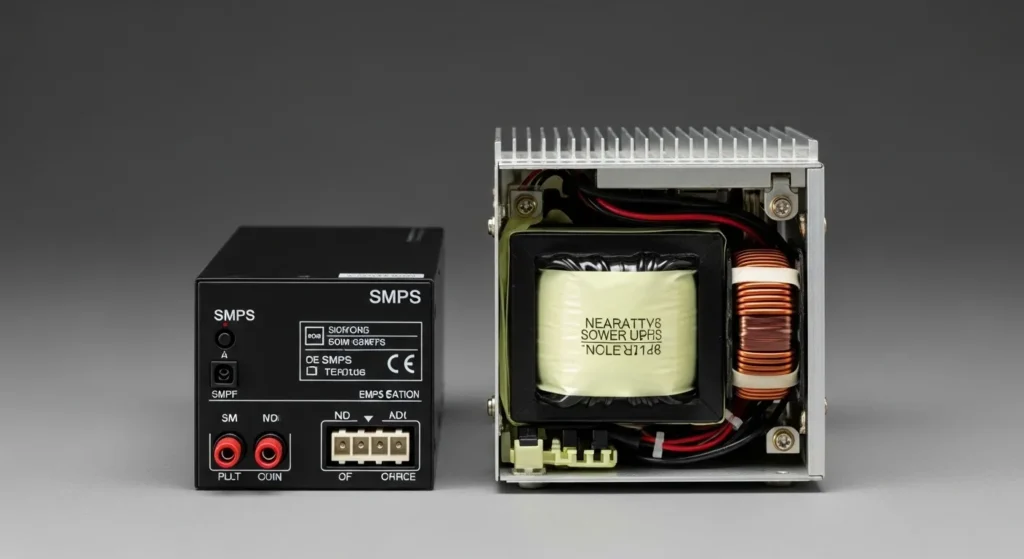
Switched-Mode Power Supplies (SMPS): The Modern Marvel
Think of linear power supplies as your old-school pickup truck, and switched-mode power supplies (SMPS) as slick electric cars. SMPS are smaller, lighter, and way better when it comes to efficiency usually around 80% or better, unlike the 50% you get with linear supplies. Instead of wasting energy, SMPS chop up the voltage into quick pulses, use a smaller transformer, and smooth it out to give you stable DC. That’s why they’re great for small stuff like laptops, phone chargers, and even planes where every ounce counts.
The catch? They can make electrical noise, which can screw with sensitive circuits. I’ve spotted hobbyists on sites like Electronics Point griping about SMPS noise messing up their radio projects. But you can usually fix that with shielding and smart design. Basically, SMPS are all over the place now since they save space and power, making them the standard for today’s gadgets.
| Parameter | Linear | Traditional SMPS | GaN SMPS | Digital SMPS |
| Efficiency | 40–60% | 85–94% | 95–98.5% | 94–99% |
| Size & Weight | Very large | Medium | Ultra-compact | Compact |
| Ripple & Noise | <1 mV | 50–150 mV | 10–50 mV | Programmable |
| Cost | Low–Medium | Medium | High | Highest |
| Best For | Audio, lab use | PCs, appliances | Fast chargers, EVs | Data centers, medical |
Uninterruptible Power Supplies (UPS): The Backup Plan
You are halfway through a major undertaking when the electricity goes out. Your computer shuts down and hours of work evaporate. An uninterruptible power source (UPS) comes to help here. A UPS is like a safety net; it uses a battery to supply backup power during outages so you can save your work or keep vital systems running. Usually comprising a rectifier to change AC to DC, a battery for storage, and an inverter to switch DC back to AC if required.
Data centers, hospitals, or even home offices with vital gear must have UPS systems. On a tech blog, a little business owner said their UPS “kept our servers running during a storm, saving us from pricey downtime. ” Some UPS systems clean up power fluctuations to guard delicate equipment; they are not just for emergencies.
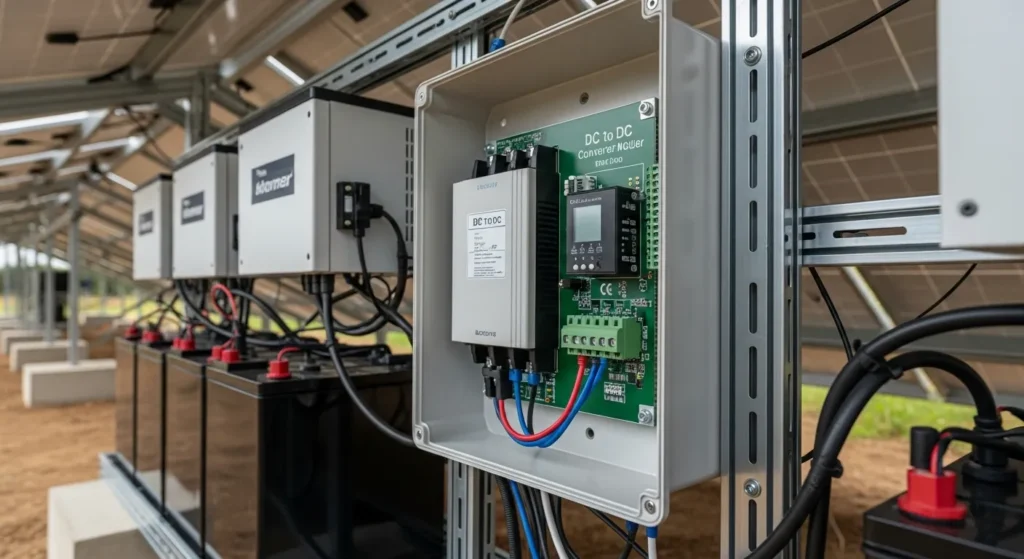
DC to DC Power Supplies: Fine-Tuning the Flow
You already have DC power from a battery, but it might not be the proper voltage for your device. DC to DC power supplies enter here. Often seen in automobiles, solar power systems, or portable devices, these gadgets change one DC voltage say, 12V from a car battery to another (like 5V for a USB port). Depending on the need, a DC to DC converter can employ a buck converter to step down voltage or a boost converter to raise it.
I’ve employed DC to DC converters in a solar-powered project to power equipment off-grid, therefore changing the game. Though they are small and efficient, you must match the voltage and current values precisely to prevent frying your circuits.
AC to AC Power Supplies: Less Common, Still Crucial
Though less frequent, AC to AC power supplies are still very important in some situations. They transform an AC input to another AC voltage or frequency. While a variable AC supply could let you change the voltage for testing tools, a frequency changer changes the AC frequency for unique equipment. Another sort, isolation transformers, either offer safety by disconnecting the apparatus from the mains or impedance matching.
These are often seen in laboratories or industrial environments. At a testing facility, I once observed a variable AC supply at work enabling engineers to fine-tune voltages to stress-test an engine. It’s specialized, but nothing else will do when you need it.
Specialty Power Supplies: Built for Unique Needs
Some stuff just needs power supplies that are way out of the ordinary, you know? High-voltage ones? We’re talking thousands of volts think X-ray machines zapping away or lasers doing their thing in labs. Not exactly something you plug your phone into unless you hate your phone. Then you’ve got medical gear, like ECG monitors. Those power supplies? All about safety and keeping the electrical noise down because, yeah, your heart monitor shouldn’t buzz like a broken speaker. And let’s not forget the big players: captive power supplies. Factories and big industries use these to crank out their own juice, right there on site. No waiting around for the grid to cooperate if the lights go out everywhere else, they’re still up and running.
These aren’t slapped together, either. Companies like Matsusada Precision? They obsess over the details. Their high-voltage stuff goes into things like circuit testing, where even the tiniest blip can blow an experiment. No pressure, right? Basically, these power supplies are the opposite of your average phone charger built for places where screwing up just isn’t an option.
Choosing the Right Power Supply for Your Needs
Honestly, picking a power supply isn’t just a “grab whatever’s on sale” kind of deal. You actually have to pay attention to stuff like voltage and current requirements, not to mention whether you want something quiet or you’re cool with a little buzzing in the background. For a home PC, I’d say a solid SMPS around 500W does the trick for most gaming setups unless you’re running some monster GPU, then maybe bump it up. But if you’re dealing with sensitive lab gear, those chunky linear supplies are still king, even if they take up half your bench and weigh about as much as a small dog. Oh, and if you live somewhere the power blinks every time it rains? Get a UPS, seriously. It’s not even a question.
- Check device specs: Match voltage & current requirements.
- Consider environment: Size, noise tolerance, and heat concerns.
- Decide if backup is needed: Choose UPS for critical loads.
- Quality matters: Opt for reputable manufacturers like Corsair, Seasonic, or Matsusada for high-performance or industrial needs.
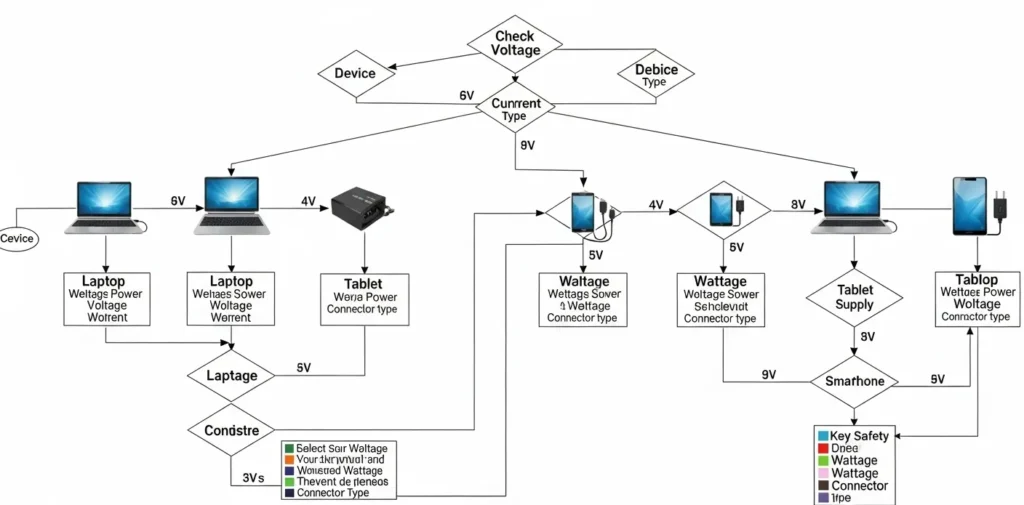
People are always asking on forums, “How the heck do I pick the right power supply?” Here’s the lowdown: look at your device’s sticker. Voltage, current, AC or DC write that down. Then, think about your setup. Are you lugging this thing around? Is fan noise going to drive you nuts? Do you need battery backup so you don’t lose everything when the lights flicker? Picking the right supply isn’t rocket science, but ignoring those details can definitely fry your circuits (and your patience).
Wrapping It Up: Power Supplies Keep the World Running
Power supplies might not be the flashiest part of your tech, but they’re the backbone of everything electronic. From the linear supply keeping your audio gear hum-free to the SMPS powering your sleek laptop, each type has a role to play. Understanding their differences helps you make smarter choices, whether you’re building a circuit, upgrading your PC, or just curious about what’s inside your charger. Got a project where you’re picking a power supply? Drop a comment I’d love to hear about it and maybe offer a tip or two. Keep your devices powered and your curiosity charged!
Final Thoughts from Procirel’s Engineering Team
This guide was reviewed and updated in January 2026 by our senior power electronics engineers with over 20 years of combined experience in medical, aerospace, and industrial PSU design. Ready to select the perfect power supply for your project? Explore our full range of IEC 60601-1 medical-grade**, UL 62368-1 certified, and 80 PLUS Titanium.
FAQ
How To Fix Xbox Series X Power Supply Issues
To fix Xbox Series X power supply issues, first check that the power cable is securely connected and try a different wall outlet. Avoid using surge protectors. If the console won’t turn on, unplug it for 10 minutes to reset the internal power system. Make sure you’re using the original power cable. If issues persist, contact Xbox Support.
How To Test Atari St Power Supply
To test an Atari ST power supply, use a multimeter to measure output voltages. First, unplug the power supply and open the case if needed. Connect the multimeter probes to the output pins common outputs are +5V, +12V, and -12V. Power it on and verify each voltage is within spec. Always take proper safety precautions when working with live electronics.
Is Overheating Power Supply On Warranty
Yes, an overheating power supply may be covered under warranty if it’s due to a manufacturing defect. However, damage from misuse, dust, or power surges usually isn’t covered. Check your warranty terms or contact the manufacturer for confirmation. If it’s still under warranty, it’s worth filing a claim.
How To Check Power Supply On PC
To check your PC power supply, first ensure it’s plugged in and the switch is on. Use a multimeter to test the voltages on the 24-pin motherboard connector. You can also use a PSU tester for quick checks. Look for signs like burning smells, fan failure, or random shutdowns as warning signs. Always take safety precautions when testing.
How To Check What Power Supply I Have
To check what power supply you have, turn off and unplug your PC. Open the case and look for a label on the PSU it shows the brand, wattage, and model. If it’s not visible, you may need to partially remove the PSU. Always handle components carefully.
How To Test Power Supply
To test a power supply, unplug it from your PC and use a multimeter or PSU tester. Check the 24-pin connector for correct voltages (like +12V, +5V, +3.3V). You can also use the paperclip test to see if the PSU powers on. Always follow safety precautions when testing.
How To Test Pc Power Supply
To test a PC power supply, unplug it and use the paperclip test by connecting the green and black wires on the 24-pin connector. If the fan turns on, the PSU powers up. For accurate results, use a multimeter or PSU tester to check voltage outputs. Always follow safety precautions.
What is the difference between 80 PLUS Bronze, Gold, and Titanium power supplies?
80 PLUS certification measures efficiency at 20%, 50%, and 100% load. Titanium units deliver ≥94% efficiency even at 10% load and are mandatory for modern AI servers and cryptocurrency mining rigs.
How do I choose a power supply for a gaming PC in 2025?
Add up GPU + CPU TDP, multiply by 1.3–1.5 for headroom, then choose an 80 PLUS Gold or Platinum unit with single +12V rail, Japanese capacitors (105°C rated), and ATX 3.0 / PCIe 5.0 compliance for RTX 50-series transient spikes.
Are modular power supplies better than non-modular?
Fully modular PSUs reduce cable clutter, improve airflow (up to 3–5°C lower case temps), and are strongly recommended for builds with custom sleeved cables or small-form-factor cases.
What does “hold-up time” mean and why does it matter? Hold-up time is how long (typically 16–20 ms) the PSU can sustain output voltage after AC loss. Critical for servers and medical devices — look for ≥17 ms at 100% load on the spec sheet.