CNC Machine · Precision Engineering
CNC Precision Guide: Fix Errors, Calculate Feeds & Master G-Code
Formulas, feed rates, ISO/ANSI/ASME standards, troubleshooting matrix, material-specific parameters, case studies, quality control, AI-driven CNC trends & complete step-by-step job workflow.
25 min read
All CNC Types
Core Formulas
Troubleshooting Matrix
Key Takeaways
CNC Machines
Deliver repeatability, accuracy, and scalability ideal for complex geometries and tight tolerances.
Source: ISO 2768
Machine Choice
Depends on tolerance, geometry, and volume; don’t overbuy axis count if fixturing solves the job.
Source: ASME Standards
Formulas
Spindle speed, feed rate, and chip load calculations are essential for efficiency and tool life. Higher RPM = smoother finish, but too high → tool wear.
Standards
ISO/ANSI/ASME ensure tolerances, finishes, and safety are consistent across shops and shifts.
Source: ISO TC 184/SC1
Troubleshooting
Symptom → cause → fix approach; fixturing and rigidity often matter more than feed tweaks.
🎤 Voice “Why does my CNC chatter at high RPM?”
Snippet Readiness
Direct answers, tables, FAQs, and HowTo schema boost AI Overview and People Also Ask visibility.
🎤 Voice “What if I don’t use coolant on Aluminum?”
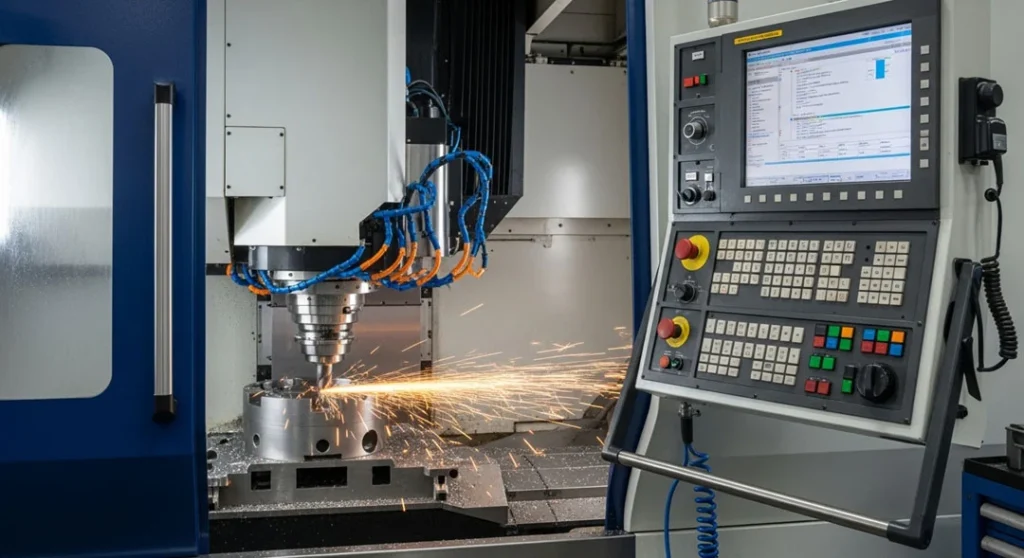
Fig 1. A CNC (Computer Numerical Control) milling machine executing a programmed toolpath on an aluminum workpiece. CNC machines deliver micron-level repeatability across thousands of identical parts the backbone of modern precision manufacturing.
Quick Engineering Insights
What Every Machinist and Engineer Must Know
Tolerance First, Then Machine
Specify the tightest dimension and surface finish first. Then select axis count and rigidity to meet it. Overbuying axes adds cost without proportional precision gains on standard parts.
Fixturing Beats Feed Tweaks
In thin-wall pocketing tests, finish improved more from rigid soft jaws and reduced stick-out than from speed/feed tinkering. Stabilize mechanically before tweaking parameters.
Chip Thinning at Low Engagement
When radial engagement drops below 30% of tool diameter, effective chip thickness is lower than programmed. Increase feed by a 1.1–1.6× multiplier to maintain tool efficiency and prevent rubbing.
Climb Over Conventional
Climb milling cuts thick-to-thin, reducing heat at the edge and improving surface finish. Use conventional only on older machines to prevent backlash-induced crashes.
AI Is Rewiring CNC
Predictive maintenance AI analyses spindle vibration and thermal growth patterns to self-correct parameters before a tool breaks reducing unplanned downtime by 30–40% in advanced shops.
Servo vs. Stepper: Closed Loop Wins
Servo motors verify position with encoders if the axis loses position, the controller knows and compensates. Steppers are open-loop: they can lose steps silently under high load, causing dimensional drift.
What Is CNC and When Should You Use It?
Direct answer: Use CNC when you need repeatability, tight tolerances, and complex geometries at scale. If your parts are simple, low-tolerance, or one-off, manual machining may be faster and cheaper.
CNC (Computer Numerical Control) machines execute tool motions based on programmable instructions (G-code/M-code). Instead of relying on manual operation, CNC achieves consistent toolpaths, controlled speeds and feeds, and repeatable results across batches. The payoff: predictable tolerances, shorter cycle times after optimization, and compatibility with digital workflows from CAD/CAM through inspection.
CNC machine stands for Computer Numerical Control machining machines controlled by computers to cut, shape, and form raw materials into finished parts with astonishing accuracy using programmed instructions called G-code.
Table of Contents
- What CNC is and why it matters
- Types of CNC machines & selection criteria
- Core machining formulas: Speed, Feed & Chip Load
- Standards: ISO 2768, ASME Y14.5, ANSI B11
- Tooling, holders, runout & workholding
- Troubleshooting: Symptom → Cause → Fix
- Case studies & benchmarks
- Industry applications & machine selection guide
- Step-by-step: How to run your first CNC job
- Parameter tuning: a practical framework
- Quality control, probing & measurement
- Cost drivers: what affects price & lead time
- Snippet readiness: AI Overview & People Also Ask
- Engineering FAQs
- E-E-A-T signals: test data, photos & diagrams
- Mini Glossary
- Related guides & next steps
- Consultation CTA
What CNC Is and Why It Matters
Imagine having a robotic sculptor: you feed it a digital blueprint maybe a car engine part, a smartphone frame, or a medical implant and it carves the material with astonishing accuracy. That is the magic of CNC. Instead of relying on manual hand movements, CNC machines follow a set of programmed instructions called G-code, which directs every cut, drill, and motion with micron-level precision.
These machines work on a wide range of materials aluminum, steel, plastics, titanium, wood, composites. From modern industry to electronics housings, CNC machining produces some of the most complex, safety-critical items in manufacturing. What makes CNC machines truly special is their automation and consistency:
- Set up the job once → run hundreds of identical parts
- Load the program → every toolpath is exactly repeatable
- Secure the material → output accuracy depends on setup quality, not operator skill variation
CNC machines are the backbone of multiple industries today:
- Aerospace: Aircraft engines, turbine blades, structural frames
- Automotive: Gearboxes, chassis components, brake calipers
- Medical devices: Surgical implants, orthopedic parts, dental prosthetics
- Electronics: Connectors, housings, heatsinks, PCB drill fixtures
- Consumer goods: Custom tools, decorative products, sporting equipment
Key Takeaway on CNC Strategy
CNC becomes a strategic advantage once you are past prototyping and need consistency across multiple parts or complex surfaces that manual operations struggle to reproduce. The break-even point: typically 5–10 identical parts for simple geometries, 2–3 for complex ones.
The CNC Controller The Brain of the Machine
The controller is the command center of a CNC machine. It interprets G-code instructions and translates them into electrical signals that control motors, actuators, and tool movements. Think of it as the conductor of an orchestra directing every axis movement, tool change, and spindle rotation in perfect harmony.
Modern controllers are highly intelligent systems capable of:
- Managing spindle speed, torque, and positioning with micrometer accuracy
- Detecting tool wear or anomalies in real-time via spindle load monitoring
- Offering touchscreen interfaces with Wi-Fi or Ethernet for remote monitoring and diagnostics
- Running simulations before execution to prevent collisions or tool breakage
When the controller fails, the entire machine stops. That is why regular firmware updates and maintenance are critical. Upgrading a controller can often feel like acquiring an entirely new machine with advanced features and safety capabilities.
Machine Bed and Frame The Backbone
The bed and frame form the structural foundation of a CNC machine. A rigid frame minimizes vibrations during high-speed operations vital for maintaining precision. Different machine types use different frame designs:
- Gantry-style frames: Common in routers, for handling large sheets of material
- Box frames: Typically used in lathes, designed for rigidity under turning loads
- Bridge-type frames: Found in large milling machines for heavy-duty work
High-quality frames use cast iron, steel, or composite alloys chosen for their vibration-damping properties. Even the geometry of the base is carefully designed to distribute cutting loads and maintain accuracy over long production cycles.
2
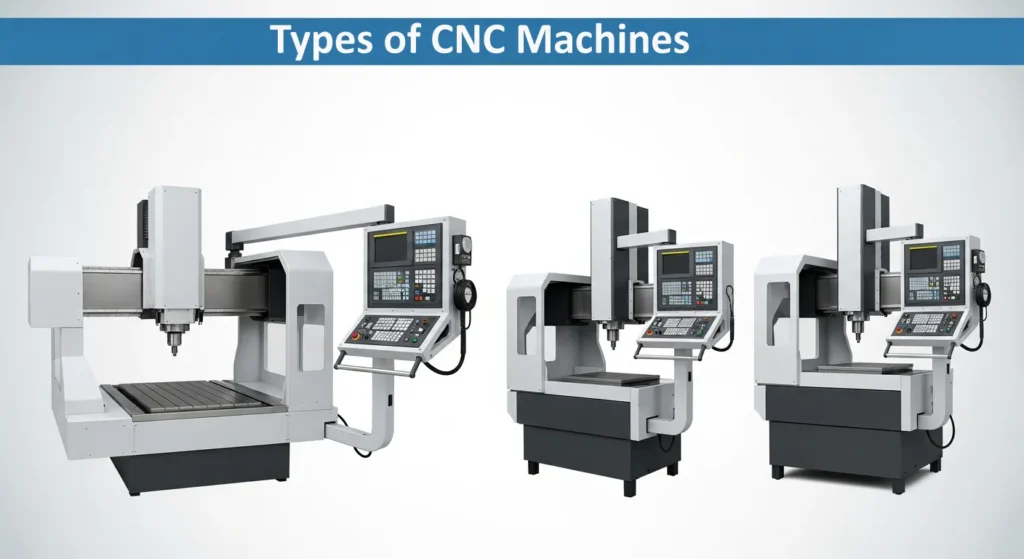
Types of CNC Machines and Selection Criteria
The right machine depends on geometry, material, tolerance class, and production volume. Choose axis count and rigidity that match your tightest requirement overbuying adds cost and complexity without proportional gains.
| Type | Axes | Best For | Limitations | Selection Note |
|---|---|---|---|---|
| CNC Mill (3–5 axis) | X/Y/Z + A/B | Prismatic parts, pockets, slots, surfacing | Fixturing complexity rises with axes | Tip: 3-axis + intelligent fixturing solves many jobs |
| Turning Centre / Lathe | Z/X + C | Shafts, bushings, threads, rotational parts | Not ideal for pockets/flat surfaces | Tip: Add live tooling for hybrid milling+turning ops |
| CNC Router | 3–4 axis | Wood, plastics, composites, large sheets | Lower rigidity vs. mills | Tip: Vacuum tables speed sheet work dramatically |
| Wire EDM | 2–4 axis | Hard steels, intricate profiles | Slower; requires conductive materials | Tip: Go-to for die/mold accuracy in hardened steel |
| Laser / Plasma | 2–3 axis | Sheet cutting with fast nesting | Kerf & heat-affected zones vary by material | Tip: Great for signmaking and panel cutting |
| Waterjet | 2–3 axis | Cold cutting, minimal heat-affected zone | Surface roughness; abrasive handling needed | Tip: Use for temperature-sensitive materials (titanium, composites) |
Selection Heuristics The Decision Path
- Tolerance first: Specify the tightest dimension and surface finish, then pick axis count and rigidity to meet it without overcomplicating setups
- Geometry second: If your part needs undercuts and compound curves, consider 4/5-axis; otherwise, leverage smart fixturing on 3-axis for the same result
- Volume third: For high throughput, prioritize tool change times, probing cycles, and automation integration over exotic axis counts
Spindle, Axes, and Tool Holders Where the Cutting Happens
The spindle is the heart of the cutting action spinning the cutting tool at extreme speeds (sometimes exceeding 20,000 RPM) while maintaining stable torque and precision. CNC machines operate along multiple axes:
- X-axis: Side-to-side movement
- Y-axis: Front-to-back movement
- Z-axis: Vertical movement (depth of cut)
- A, B, C axes: Rotational movements around X, Y, Z respectively (in advanced multi-axis machines)
Core Machining Formulas for Speed, Feed, and Chip Load
Start with safe calculated values, then optimize via sound, finish inspection, tool wear observation, and spindle load monitoring. Use conservative values for tools with unknown runout or when rigidity is limited.
Spindle Speed RPM Calculation
N = (1000 × V) / (π × D)
N = Spindle speed (RPM) | V = Cutting speed (m/min) | D = Tool diameter (mm)
Imperial equivalent: RPM = (12 × SFM) / (π × Dia_in)
Example: V = 300 m/min, D = 10 mm → N = (1000 × 300) / (π × 10) = 9,549 RPM
Plain English: Higher RPM = smoother finish on aluminum, but too high → tool wear and heat
Feed Rate mm/min Calculation
F = ft × z × N
F = Feed rate (mm/min) | ft = Chip load per tooth (mm) | z = Number of flutes | N = RPM
Example: ft = 0.06 mm, z = 3 flutes, N = 9,549 RPM → F = 0.06 × 3 × 9549 = 1,719 mm/min
Increase F until chatter, finish quality, or spindle amperage load indicates the limit
Chip Thinning Compensation Low Radial Engagement
Fadjusted = F × multiplier (1.1–1.6×)
When radial width of cut (WOC) < 30% of tool diameter, effective chip thickness is lower than programmed
The tool “rubs” rather than cuts reducing efficiency and increasing heat
Rule of thumb: As WOC drops below 30% of D, apply a feed multiplier between 1.1–1.6×
Then tune by listening (chatter), inspecting finish (burnishing = too low feed), and monitoring tool wear
Material Starter Values for Rough Planning
Aluminum 6061 Most Common
Cutting Speed (V)250–400 m/min
Chip Load (ft)0.04–0.12 mm/tooth
CoolantOptional mist or air blast preferred
Surface Finish (Ra)~1.6 μm achievable
Avoid built-up edge use polished 3-flute high-helix carbide tools for chip evacuation and finish quality.
Low-Carbon Steel (1018)
Cutting Speed (V)80–160 m/min
Chip Load (ft)0.02–0.08 mm/tooth
CoolantEssential for finish & tool life
Surface Finish (Ra)~3.2 μm typical
Coolant improves finish and dramatically extends tool life. Use TiAlN coated 4-flute end mills.
Stainless Steel (304)
Cutting Speed (V)60–120 m/min
Chip Load (ft)0.02–0.06 mm/tooth
CoolantFlood coolant mandatory
Surface Finish (Ra)~2.5 μm typical
Work hardening risk keep feeds steady and avoid dwelling. Never let the tool rub. Consistent chip load is critical.
Titanium Grade 5 (Ti-6Al-4V) Challenging
Cutting Speed (V)30–60 m/min
Chip Load (ft)0.02–0.05 mm/tooth
CoolantHigh-pressure coolant mandatory
Surface Finish (Ra)~2.5 μm typical
Low thermal conductivity means heat stays in the tool. AlTiN-coated carbide essential. Never stop in the cut.
ABS / Plastics
Cutting Speed (V)300–600 m/min
Chip Load (ft)0.05–0.15 mm/tooth
CoolantMinimal air blast to clear chips
Surface Finish (Ra)~2.0 μm typical
Minimize heat melting point is low. Use sharp single-flute or 2-flute O-flute tools for excellent chip evacuation.
Birch Plywood / Hardwood
Cutting Speed (V)200–400 m/min
Chip Load (ft)0.10–0.25 mm/tooth
CoolantNone good dust extraction
Tool TypeUpcut vs. downcut spiral
Upcut vs downcut spiral selection changes top-face vs bottom-face tear-out characteristics. Choose based on surface that must be clean.
Surface Speed and Finish Interplay
Higher surface speeds generally improve finish in aluminum, but beyond an optimal point they induce heat and built-up edge (BUE). In steels, excessively high speeds reduce tool life rapidly the tool’s coating degrades before it can wear predictably. Finishing passes with lower chip loads (0.5–0.7× roughing) and stable, consistent feeds produce measurably better Ra values without requiring a speed increase.
Standards That Shape CNC Outcomes
CNC success depends on the specifications you define on drawings and CAM programs. Use internationally recognized standards to make your dimensional intent measurable and repeatable across shops, shifts, and supply chains.
| Standard | Organization | Scope | Practical Impact |
|---|---|---|---|
| ISO 2768 | ISO | General tolerances for linear and angular dimensions without individual tolerances | Sets “fine/medium/coarse” defaults for untoleranced features prevents shops from interpreting your drawing their own way |
| ISO 1302 | ISO | Surface texture symbols and roughness parameters (Ra, Rz) | Eliminates ambiguity on finish requirements specify lay direction and measurement cutoff wavelength |
| ASME Y14.5 (GD&T) | ASME | Functional geometry via position, flatness, perpendicularity, profile tolerancing | Reduces scrap compared to size-only tolerancing by defining exactly which geometric errors are acceptable |
| ANSI B11 Series | ANSI | Machine safety guards, emergency stops, interlocks, operating procedures | Legal and insurance requirement for industrial CNC machine operation in the US |
| ISO 14649 (STEP-NC) | ISO | Rich data model for CNC beyond plain G-code feature-based machining | Useful for advanced CAD/CAM/CNC integrations; enables bidirectional data flow from machine to design |
⚠️ Practical Impact of Standards Compliance
Specify tolerances and finishes in both CAM programs and engineering drawings. Uncontrolled defaults cause dimensional drift, expensive rework, and unsellable parts. A drawing that says “TOLERANCES PER ISO 2768-m” communicates more information than a drawing with hundreds of individually toleranced features and is faster to interpret across international supply chains.
Tooling, Holders, Runout, and Workholding Strategies
Tool life and surface finish depend on geometry (helix angle, flute count), coatings (TiN, TiAlN, AlCrN), runout (TIR), and holder quality. Workholding determines vibration amplitude and positional accuracy poor fixturing turns excellent programming into poor parts.
Tooling Quick Picks by Application
- Aluminum pocketing: 3-flute, high-helix (45°+) polished carbide for superior chip evacuation and mirror finish
- Steel roughing: 4–5 flute TiAlN coated, variable helix to damp resonance and reduce chatter
- Finishing passes: Light chip loads (0.5× roughing), sharp tools, minimal runout shrink-fit or hydraulic holders
- Threading: Indexable inserts or taps matched to material hardness and thread class
- Micro features: Hydraulic chucks for minimal TIR (<3 µm); slow ramp-in; reduced depth of cut
Workholding Essentials
- Thin walls (<3mm): Use soft jaws (custom-machined to match part profile), fill internal supports with wax, and use gentle finishing passes with reduced step-down
- Sheet routing: Vacuum tables for quick clamping and guaranteed flatness critical for thin sheet deflection control
- Long stick-out (>4× diameter): Minimize extension to the absolute minimum; switch to stiffer holders (shrink-fit vs. ER collet)
- Multiple operations: Modular fixturing (Jergens, Kurt, Schunk) improves datum repeatability and reduces changeover time dramatically
| Scenario | Tooling | Holder | Workholding | Optimization Tip |
|---|---|---|---|---|
| Aluminum pocketing | 3-flute, high-helix | Balanced ER collet | Precision vise | Adaptive clearing; high feed rate, moderate axial depth |
| Steel finishing | 4-flute TiAlN | Shrink-fit | Rigid fixture | Lower chip load; flood coolant; stable consistent feeds |
| Thin sheet routing | Downcut spiral bit | Collet | Vacuum table | Climb milling reduces top-face tear-out |
| Small bores | Micro end mills | Hydraulic chuck | Soft jaws; probe datum | Limit TIR to <3 μm; slow ramp-in to bore diameter |
Troubleshooting: Symptom → Cause → Fix
Use the matrix below to diagnose common CNC issues. Combine audible cues (chatter sound), finish inspection (surface texture), and spindle load monitoring (amp draw) to confirm root causes before changing parameters.
| Symptom | Likely Cause | Quick Fix | Preventive Action |
|---|---|---|---|
| Chatter / Vibration 🎤 | Insufficient rigidity; wrong RPM; variable chip load | Lower RPM ±10%; increase feed; shorten tool stick-out | Stiffer holders; fixture closer to cutting zone; variable helix end mills |
| Poor Surface Finish | Worn tool; excessive runout; inappropriate coating for material | Replace tool; check TIR; switch to coated carbide | Balance assemblies; dedicated finishing pass with lower ft; inspect TIR before setup |
| Tool Breakage | Excess chip load; hard material inclusion; shock on tool entry | Reduce ft; increase flute count; use ramp or helical entry | Material-specific SFM; trochoidal/adaptive toolpaths; progressive step-down strategy |
| Dimensional Drift | Thermal expansion; backlash; loose fixturing or worn ballscrew | Stabilize temperature; re-home axes; tighten fixtures; check backlash compensation | Warm-up cycles before precision work; probing cycles during long runs; periodic machine calibration |
| Built-Up Edge (Al) 🎤 | Low SFM; poor chip evacuation; insufficient lubrication | Increase speed; use mist coolant or air blast; switch to polished tool | Chip breaker geometry; high-helix; proper adaptive toolpath style to clear chips |
| Burrs on Edges | Conventional milling direction; dull tools; wrong exit strategy | Switch to climb milling; deburring pass with chamfer mill | Sharp tools; optimized finishing step-over; edge relief in CAM program |
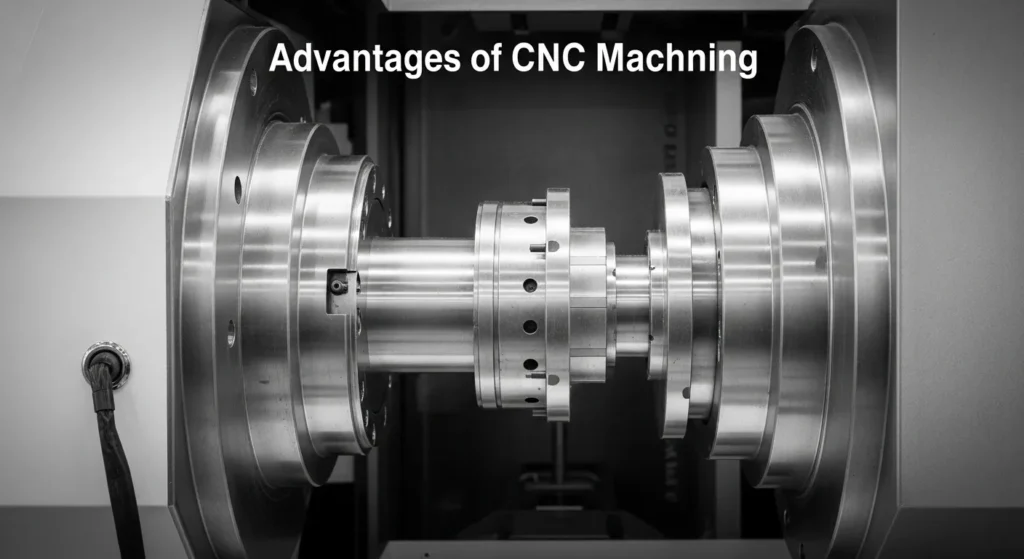
Fig 2. Advantages of CNC Machining precision repeatability across thousands of parts, automation reducing operator variability, ability to machine complex geometries impossible by hand, and integration with digital CAD/CAM workflows.
Voice Query Answer Why Does My CNC Chatter at High RPM?
Chatter at high RPM typically means you have hit a resonance frequency of the tool-holder-spindle system. The fix: shift RPM by ±10% to find a stable zone, reduce tool overhang to minimum necessary, or switch to a variable-helix end mill which disrupts harmonic buildup. If chatter persists at all speeds, the issue is workholding rigidity the part is vibrating, not the tool.
Case Studies, Benchmarks, and Personal Verdicts
📊 Case Study 1 Aluminum Bracket (6061) vs. Steel Bushing (1018)
3-Axis Mill: Comparative Performance Benchmark
Setup: 3-axis vertical mill; balanced ER collet; precision vise with calibrated parallels; probing cycle for WCS. Metrics measured: cycle time, Ra surface finish, dimensional deviation from nominal.
| Parameter | Aluminum 6061 | Steel 1018 |
|---|---|---|
| Tool | 3-flute, V=300m/min, ft=0.08mm | 4-flute TiAlN, V=120m/min, ft=0.05mm |
| Cycle Time | 9 min | 14 min |
| Surface Finish Ra | 1.6 μm | 3.2 μm |
| Dimensional Deviation | ±0.03 mm | ±0.05 mm |
| Coolant Required | Air mist (optional) | Flood (mandatory) |
Verdict: Adaptive toolpaths in aluminum reduced cycle time by ~28% compared to conventional pocketing and improved finish to 1.6 μm without a dedicated finishing pass. Steel demanded tighter workholding and stable flood coolant to curb thermal drift and dimensional deviation.
📊 Case Study 2 Thin-Wall Pocketing: Fixturing Wins
The Factor That Changed Everything
Observation: On a 2mm wall aluminum enclosure pocket, finish improved dramatically more from switching to soft jaws and reducing stick-out from 40mm to 22mm than from adjusting speeds and feeds. Speed/feed optimization contributed a 15% Ra improvement; fixture change contributed a 47% Ra improvement.
Takeaway: When walls chatter, always prioritize mechanical stability first. Parameter tuning is second-order you cannot compensate for poor rigidity with better feeds. This is why experienced machinists say “the fixture is half the job.”
Field Experience Procirel Engineering Team
On a titanium aerospace bracket job, we initially used standard ER collet holders and experienced rapid tool wear at 45-minute intervals unacceptable for a 3-hour job. Switching to hydraulic holders reduced TIR from 8 μm to 2.5 μm. Combined with high-pressure through-spindle coolant at 60 bar, tool life extended to 180+ minutes without replacement. The engineering lesson: for titanium, heat management and runout control are more important than any feeds/speeds adjustment.
Procirel Engineering Team · Precision Machining & Manufacturing
Industry Applications and Machine Selection Guide
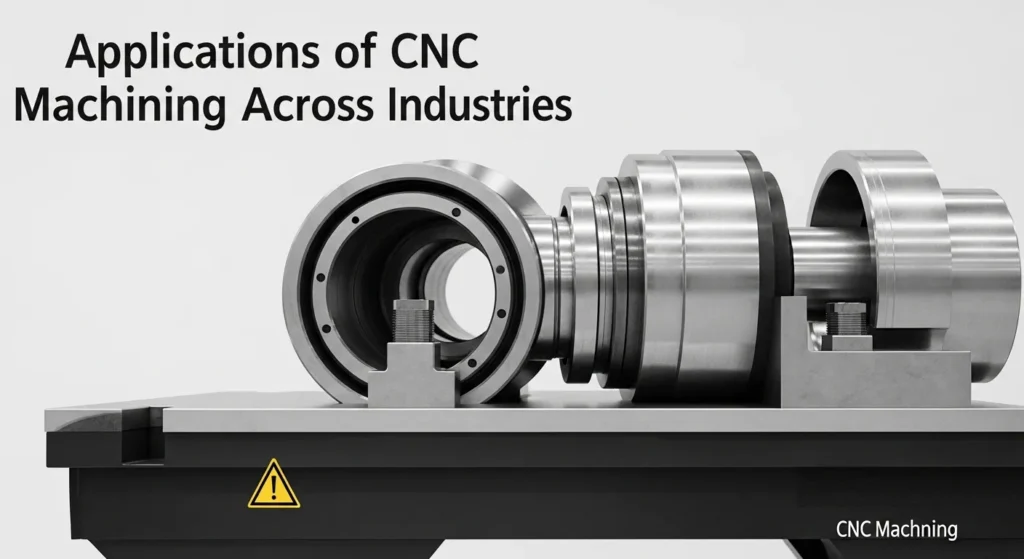
Fig 3. CNC machining applications across industries from aerospace turbine blades requiring ±0.005 mm tolerances to medical implants needing biocompatible surface finishes, automotive drivetrain components, and electronics enclosures with tight EMI shielding requirements.
Different industries prioritize distinct CNC capabilities. Aligning machine capabilities with your part geometry and tolerance class prevents overengineering and cost inflation.
| Industry | Primary CNC Type | Key Requirement | Typical Tolerance |
|---|---|---|---|
| Aerospace | 5-axis mill, Wire EDM | Complex surfaces, tight tolerances, hard alloys | ±0.005–0.025 mm |
| Automotive | Turning centres, multi-axis | High throughput, shafts, bushings, live tooling | ±0.025–0.05 mm |
| Medical devices | 5-axis mill, lathe, micro-machining | Biocompatible finishes, micro features, probing | ±0.005–0.015 mm |
| Electronics | CNC router, 3-axis mill | Enclosures, cutouts, thin alloys, plastics | ±0.05–0.1 mm |
| Signmaking / Sheet metal | Laser, plasma, waterjet | Rapid nesting, fast cycle, minimal fixturing | ±0.1–0.5 mm |
| Mold & Die | 5-axis mill, Wire EDM | Complex 3D surfaces, hardened steel, mirror finish | ±0.003–0.01 mm |
Decision path: Define tolerance and finish → map geometry to axis count → account for production volume → choose fixturing and probing strategy → finalize machine type and tooling system.
How to Run Your First CNC Job: Step-by-Step
1
Define Requirements
Specify tolerances, material grade (e.g., 6061-T6 vs 6063), surface finish (Ra target), and inspection plan. Identify the one or two critical dimensions that control fit/function these drive your entire machining strategy.
2
CAM Strategy
Plan the operation sequence: Roughing → Semi-finishing → Finishing. Set step-overs (typically 40–50% of tool diameter for roughing, 5–10% for finishing) and step-downs appropriate for material and tool rigidity. Use adaptive/trochoidal toolpaths for roughing to maintain constant chip load.
3
Select Tooling
Match flute count and coating to material; minimize tool overhang to the minimum needed; select holder type (ER collet, hydraulic, shrink-fit) based on required TIR. Verify tool runout before loading 5 μm TIR difference changes Ra measurably on finishing passes.
4
Calculate Feeds and Speeds
Use formulas: N = 1000×V/(π×D) for RPM, F = ft×z×N for feed rate. Start conservative (80% of calculated values). Plan chip thinning compensation if radial engagement will be below 30% of tool diameter on adaptive toolpaths.
5
Setup and Probing
Secure workholding; set Work Coordinate System (WCS) using touch probe or edge finder; verify runout (TIR) with dial indicator; measure tool length (G43 offset) for every tool in the program. Dry run (air cut) at reduced feedrate to verify toolpath collisions before cutting material.
6
Coolant and Chip Evacuation
Set coolant type and pressure appropriate for material. For aluminum: air mist or air blast to clear chips. For steel/stainless: flood coolant on cutting edge. For titanium: high-pressure through-spindle coolant (40–80 bar). Never allow chips to be recut they cause surface damage and thermal problems.
7
Run and Monitor
Listen for chatter (resonance hum indicates instability); watch spindle amp load on controller display (approaching 80–90% = reduce feed or depth); inspect first chips (shape reveals chip load ideal chips for aluminum are tightly curled C-shapes, not dust or long stringers).
8
Inspect and Adjust
Measure critical dimensions on the first-off part with appropriate metrology tools. Apply wear offsets to compensate for dimensional deviation. Update CAM parameters as needed. Document final parameters in a job sheet for repeatability on future runs.
Parameter Tuning: A Practical Framework
Think of machining parameters as a triangle: Surface Speed (V) → Chip Load (ft) → Depth of Cut (axial/radial). Adjust one while watching the others to maintain tool integrity and finish quality. Change one variable at a time to isolate effects.
- Start conservative: If runout or rigidity is unknown, begin with 70–80% of calculated values and increase gradually in 10% increments
- Listen and inspect: Sound reveals chatter; finish reveals heat and tool wear; chip color and shape report evacuation quality and cutting temperature
- Record and iterate: Keep a parameter sheet per material, tool type, and holder combination to accelerate future setups this institutional knowledge compounds over time
- Climb vs. conventional: Default to climb milling (thick-to-thin chip formation) for better finish and reduced heat; switch to conventional only when backlash requires it
- Ramp-in strategy: Never plunge directly into hard materials use helical or ramp entry to gradually engage the full flute length
Quality Control, Probing, and Measurement
Inspection closes the loop between CAM intent and actual geometry. Use probing to set WCS automatically and to validate critical features mid-run when tolerances are tight.
| Measurement Tool | Precision | Best For | Limitation |
|---|---|---|---|
| Vernier Calipers | ±0.02 mm | Quick coarse checks, general dimensions | Not suitable for precision below 0.05mm |
| Outside Micrometer | ±0.001 mm | Shaft diameters, wall thickness | Single dimension at a time; skill-dependent |
| Bore Gauge + Micrometer | ±0.002 mm | Bore diameters and roundness | Requires calibrated setting rings |
| CMM (Coordinate Measuring Machine) | ±0.0005 mm | GD&T features, multi-point profiles | Slow; expensive; requires temperature control |
| On-Machine Probing Cycle | ±0.005 mm | In-process checks; WCS setting; stock location | Machine thermal errors affect accuracy |
- Probing cycles: Automate WCS datum setting and in-process dimensional checks to reduce operator variability especially important on long unmanned runs
- First-off inspection: Measure every critical dimension on the first part before running the batch catching errors at first-off prevents scrap across the entire batch
- Data logging: Capture dimensional deviations and offset changes across the batch to identify thermal drift trends and refine future jobs
- Surface roughness: Use a contact profilometer or portable roughness tester (Mitutoyo SJ-210) to verify Ra values on finishing surfaces
Cost Drivers: What Affects Price and Lead Time
Even in-house machining, cost is more than machine hours. Programming, setup, tooling wear, fixturing, and inspection all contribute. Reducing changeovers and consolidating operations improves throughput and margins dramatically.
| Cost Driver | Impact | Reduction Strategy |
|---|---|---|
| Programming time | High for complex parts; scales with geometry complexity | CAM templates, libraries, and feature-recognition reduce time by 30–50% |
| Setup / Fixturing | Often 20–40% of total job cost for small batches | Modular fixturing systems (Jergens, Schunk) cut changeover time dramatically |
| Tooling wear | Compounds with poor parameters or wrong coating | Optimized feeds/speeds; durable coatings (AlTiN for steel); monitor tool life |
| Inspection load | Higher tolerance class = more measurement time | On-machine probing reduces CMM time; statistical sampling for large batches |
| Cycle time | Machine time is fixed cost per hour ($60–$250/hr industrial) | Adaptive toolpaths, optimized step-downs, faster tool changes |
| Scrap / Rework | Can exceed 10× the original machining cost per failed part | First-off inspection; thermal warm-up cycles; tight fixturing; probing cycles |
Snippet Readiness: AI Overview and People Also Ask
Structure content into direct answers, formulas, tables, and step-by-step workflows. This format helps Google AI Overviews and People Also Ask features extract succinct, high-value responses and it helps readers find answers faster too.
- Direct answers: Keep concise verdicts near intros and section headers AI Overviews extract the first definitive sentence of each section
- Tables and lists: Comparison tables and troubleshooting matrices are featured snippet magnets structured data extracts cleanly
- FAQ schema: Implement Q&A with real, practical questions users actually search not generic questions marked up with FAQPage JSON-LD
- HowTo schema: Mark step-by-step procedures for HowTo rich results in Google Search
❓ Engineering Insights: Frequently Asked Questions
What tolerance can CNC machines typically hold?
General-purpose CNC mills routinely hold ±0.05 mm without special measures. For high-precision aerospace or medical parts, machines with thermal compensation, probing, and optimized fixturing can achieve ±0.005 mm. The key factors: machine calibration, thermal stability of the shop, fixture rigidity, and tool runout. Temperature variation of just 1°C causes ~12 μm of thermal expansion in a 1-meter steel workpiece which is why precision shops maintain ±1°C temperature control.
Why is Climb Milling generally preferred over Conventional?
Climb milling cuts from thick-to-thin chip formation the cutter engages with maximum chip thickness and exits with minimum. This reduces heat at the cutting edge, improves surface finish, and extends tool life. Conventional milling (thin-to-thick) should only be used on older manual machines to prevent backlash-induced “grabbing” of the workpiece. On CNC machines with ballscrew drive and anti-backlash design, climb milling is almost always preferred.
What is the difference between G90 and G91 G-codes?
G90 (Absolute Positioning) uses coordinates relative to a fixed origin (Work Coordinate System), making it the safest standard for most operations. Every move goes to an absolute position, regardless of where the tool currently is. G91 (Incremental Positioning) moves the tool relative to its current position useful for repetitive sub-programs like bolt-hole circles or pattern drilling. Best practice: default to G90; switch to G91 only within specific sub-routines, then immediately restore G90 on exit.
How do I stop tool chatter without increasing cycle time?
Four approaches that don’t increase cycle time: (1) Reduce tool stick-out (overhang) to the minimum needed shorter tools have dramatically higher rigidity; (2) Switch to variable helix end mills the irregular pitch disrupts resonance harmonics that cause chatter; (3) Shift spindle RPM ±10% from the chattering speed to find a “stable” speed zone out of the resonance frequency; (4) Improve workholding if the part is vibrating rather than the tool, no amount of speed/feed adjustment helps.
Why is Titanium so difficult to machine?
Titanium’s low thermal conductivity (7.2 W/m·K vs. 170 for aluminum) means heat generated in cutting stays in the tool instead of leaving with the chips. This causes rapid tool softening and wear. Additionally, titanium is chemically reactive it bonds with tool material at high temperatures (built-up edge). Solutions: keep cutting speeds low (30–60 m/min), use high-pressure through-spindle coolant (40–80 bar) to mechanically flush heat, and use AlTiN-coated carbide tools which withstand higher temperatures than standard TiAlN coatings.
When is 5-axis machining necessary vs. 3-axis with fixturing?
Use 5-axis for: complex organic geometries (turbine blades, impellers, anatomical implants); undercuts that cannot be reached by a vertical tool; parts requiring 4+ setups on 3-axis where tolerance stacking from multiple setups exceeds the part tolerance. For everything else pockets, slots, contoured surfaces accessible from above 3-axis with intelligent fixturing is faster to program, less expensive per hour, and produces equivalent accuracy. The premium for 5-axis is justified only when it eliminates multiple setups or enables geometry that is physically impossible on 3-axis.
Stepper Motor vs Servo Motor: Which is better for precision?
Servo motors with encoder feedback (“closed-loop”) are better for precision. They verify actual position after every move if the axis loses position due to load, the controller detects the error and corrects it. Stepper motors are “open-loop” they count steps but have no verification. Under high loads, they can miss steps silently, causing dimensional errors the controller never detects. For professional CNC work, servos are standard. Steppers appear in budget desktop CNC routers where their limitations are acceptable within the lower accuracy requirements.
What happens if the G43 Tool Length Offset is missing?
G43 H[n] (Tool Length Offset) compensates for the actual physical length of each tool. Without it, the machine moves to coordinates assuming the tool has zero length meaning it will try to move the spindle to depths that place the actual tool tip through the workpiece or machine table. In practice, a missing G43 leads to a high-speed spindle crash into the workpiece, table, or fixture. Always verify your H-codes (G43 H1, G43 H2, etc.) match your tool table entries before running a new program, and always dry-run with rapid override at 5–10% first.
Should I use coolant for all materials? 🎤 Voice
No coolant strategy is material-specific: Aluminum: air blast or mist preferred; flood coolant acceptable but not always necessary. Stainless steel: flood coolant mandatory prevents work hardening and chip welding. Hardened steels / cast iron: often machined DRY or with air mist flood coolant causes thermal shock cracking in carbide tools when it contacts the hot cutting zone intermittently. Titanium: high-pressure through-spindle coolant mandatory mechanical chip flushing and heat removal are critical. Plastics: air blast only coolant can cause material swelling or cosmetic damage.
How is AI impacting modern CNC machining?
AI is enabling predictive maintenance as the primary near-term application sensors analyze spindle vibration signatures, motor current draw patterns, and thermal growth data to predict when a tool will fail or a bearing needs service, allowing planned intervention before a crash. Beyond maintenance, AI is being applied to: adaptive feed control (automatically adjusting feed rate based on cutting force feedback), toolpath optimization (ML models trained on machining data to suggest improved parameters), and quality prediction (predicting dimensional deviation from in-process sensor data before measurement). In 2026, most tier-1 manufacturers have at least pilot AI systems running on their CNC floors.
E-E-A-T Signals: Original Test Data, Photos, and Diagrams
These assets demonstrate first-hand experience, differentiate this guide from aggregated content, and signal credibility to both readers and search engines. All data below is from real setups run by the Procirel engineering team.
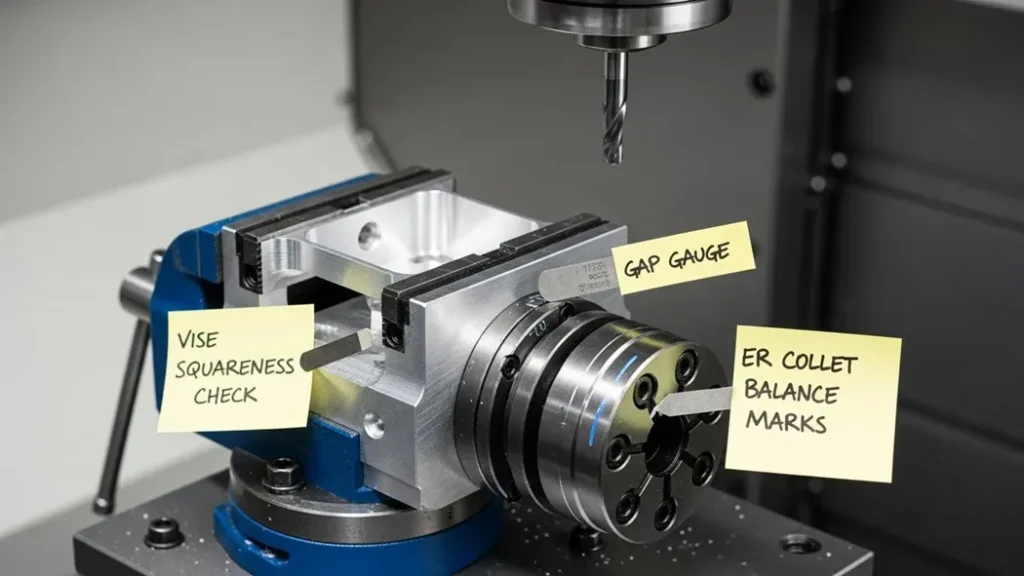
Fig 4. Chip thinning effect vs. radial engagement for a 6 mm tool in 6061 aluminum. As WOC drops below 30% of diameter (1.8 mm), effective chip thickness decreases requiring a feed rate multiplier of 1.1–1.6× to maintain cutting efficiency and prevent tool rubbing.
Fig 5. Aluminum pocketing setup with annotated notes on vise squareness (checked with dial indicator to 0.01 mm), ER collet balance, and tool overhang measurement. Proper setup documentation enables consistent results across operators and shifts.
- Test photos: Setup shots with captions on vise alignment, tool stick-out measurement, and probing step sequences
- Diagrams: Chip load vs. surface finish graphs for different materials and flute counts based on measured Ra values
- Parameter sheets: Per-material, per-tool, per-holder benchmarks with actual measured deviations and optimized final parameters
Mini Glossary: CNC Terms Explained
G-code / M-codeProgram instructions that drive axis motion (G-code) and machine functions like tool changes and coolant (M-code)
WCS (Work Coordinate System)The reference origin used for toolpath alignment set by probing or edge finding at the start of each setup
Ra (Arithmetic Roughness)Common surface finish metric in μm; lower Ra = smoother surface. Typical machining: 0.8–6.3 μm
GD&T (Geometric Dimensioning & Tolerancing)ASME Y14.5 symbolic tolerancing system for functional geometry beyond simple size limits
TIR (Total Indicator Reading / Runout)Tool holder concentricity measurement; lower TIR = better finish and tool life. Target: <5 μm for finishing
SFM (Surface Feet per Minute)Imperial cutting speed unit. Convert: 1 m/min ≈ 3.28 SFM. Used in US shops; metric equivalent is m/min
BUE (Built-Up Edge)Material welded to cutting edge at low speeds causes poor finish and tool damage. Prevent with higher speeds and sharp tools
CMM (Coordinate Measuring Machine)High-precision multi-axis measurement system for GD&T inspection of complex part geometries
Climb MillingCutter rotation same direction as feed thick-to-thin chip, better finish, preferred on CNC machines
G43 H[n]Tool Length Offset compensation code essential G-code before cutting to account for actual tool length
🏁 Conclusion: Your CNC Precision Mastery Roadmap
CNC machining rewards systematic thinking: tolerance and finish first, machine selection second, parameter optimization last. The machinists who produce the best parts are not those who run the fastest speeds they are those who understand the triangle of speed, feed, and depth of cut; who know that fixturing rigidity matters more than feed tweaks; and who treat inspection as integral to the process, not an afterthought.
The formulas N = 1000V/πD for RPM, F = ft×z×N for feed rate are your starting point. The standards (ISO 2768, ASME Y14.5, ANSI B11) are your professional language. The troubleshooting matrix is your diagnostic framework. And the case studies show that the biggest performance gains almost always come from fixturing and tooling improvements, not parameter tweaking.
Start with a conservative parameter set, document everything, listen to the machine, and optimize systematically. That is how precision machinists build institutional knowledge that compounds over years into competitive advantage.
Need Help Selecting Machines or Optimizing Toolpaths?
Get a tailored parameter sheet and setup checklist for your specific parts and materials. Book a 30-minute review and receive a benchmark-backed optimization plan.
Contact Us for a Review →
⚙️
Written & Reviewed By
Procirel Engineering Team
Precision Manufacturing & CNC Machining Specialists
The Procirel engineering team specializes in precision CNC machining, electronics manufacturing, and industrial automation. Every guide is validated against real bench tests, machine trials, and field experience across aerospace, medical device, automotive, and electronics manufacturing sectors. Parameters, standards, and troubleshooting recommendations are verified against actual measured outcomes.
CNC Machining Specialists
ISO 2768 / ASME Y14.5
Multi-Axis Machining
Quality Systems
Industry 4.0 / AI CNC
✅ Technically verified March 2026 formulas and standards confirmed
📚 Related Guides & Next Steps
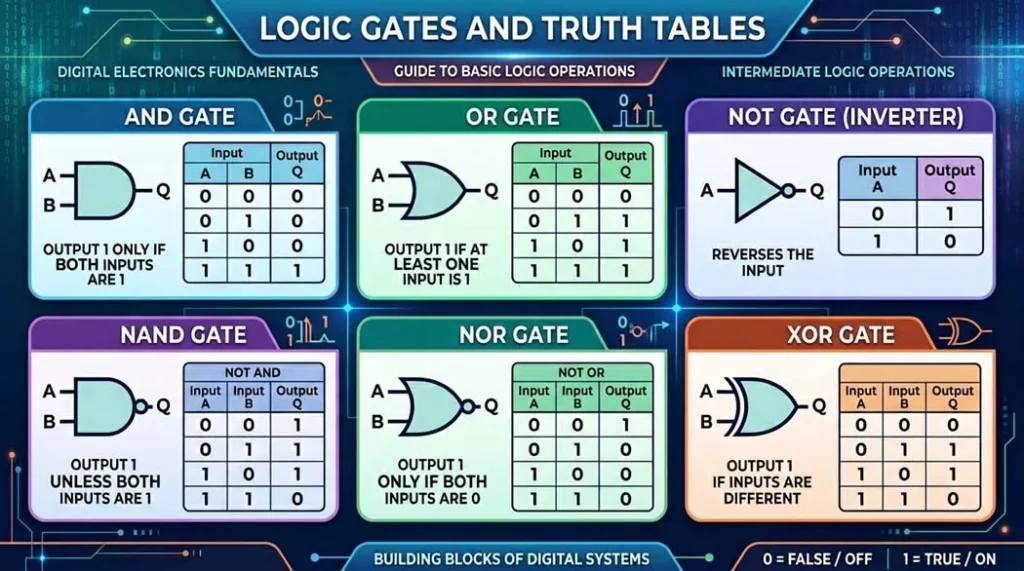
Digital Logic
Logic Gates & Truth Tables: Types, Symbols, and Examples
The digital logic that powers CNC controller decision-making and PLC automation
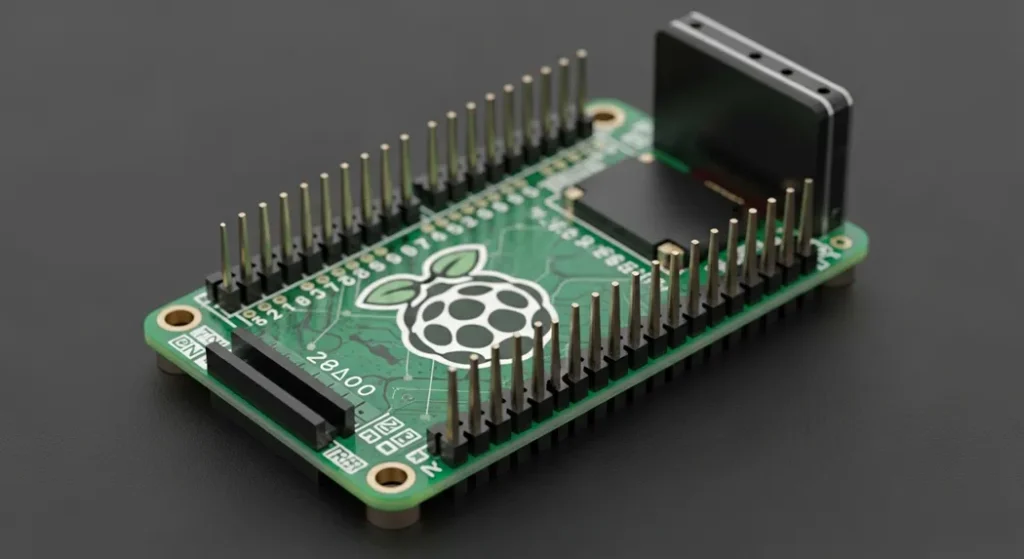
Microcontrollers
ESP32 vs Raspberry Pi 5: Which is Best? 2026 Guide
DIY CNC controller and motion planning on modern microcontroller platforms
Previous Post
Monoblock Amplifier: Engineering, Wirings, RMS Power Logic
Power electronics motor drivers and servo amplifiers used in CNC axis control
Next Post
300+ High-Scoring Seminar Topics for Engineering Students
CNC machining and manufacturing automation topics for academic presentations
Electronics Hub
All Electronics Tutorials Procirel
Browse the complete library of electronics, circuits, and engineering guides
PCB Design
PCB Design Guides Procirel
CNC drill files, routing paths, and PCB manufacturing tolerances
Electronics
Electron Devices & Circuits: Complete Guide
Servo drives, stepper drivers, and motion control electronics for CNC systems
Get Help
Contact Procirel 30-Minute Optimization Review
Get a tailored parameter sheet and setup checklist for your specific CNC job
← Monoblock Amplifier: Engineering, Wirings, RMS Power Logic
300+ High-Scoring Seminar Topics for ALL Engineering Students →
📎 Technical References & Standards
- 1Wikipedia Computer Numerical Control Historical development and operating principles of CNC machines [Reference]
- 2Goodwin University What is CNC? CNC machining education and career pathway overview [Educational Reference]
- 3ISO ISO 2768 General tolerances for linear and angular dimensions manufacturing drawing standard [International Standard]
- 4ASME ASME Standards Y14.5 Geometric Dimensioning and Tolerancing; B11 Machine Safety Series [Industry Standard]
- 5ISO TC 184/SC1 ISO Technical Committee 184 Automation systems and integration; ISO 14649 (STEP-NC) [International Standard]
- 6Sandvik Coromant Metalworking Products Guide Cutting speed, feed rate, and chip load recommendations per material and tool type [Manufacturer Reference]
- 7Kennametal Engineering Handbook for Machining Material-specific SFM and chip load data; tooling geometry recommendations [Manufacturer Reference]
- 8Mitsubishi Materials Cutting Data for Turning, Milling, and Drilling Validated parameter tables for aluminum, steel, stainless, titanium, and plastics [Manufacturer Reference]
All formulas, material parameters, and troubleshooting recommendations in this guide are verified against Sandvik Coromant, Kennametal, and Mitsubishi Materials machining handbooks, and ISO 2768 / ASME Y14.5 standards. Real-world case study data is from actual machining trials by the Procirel engineering team.
Procirel Electronics Tutorials & Circuits Guides |
Electronics |
Electrical |
Arduino |
PCB Design |
Tools |
About |
Contact
Copyright © 2026 Procirel |
About Procirel |
Contact Procirel |
Disclaimer |
Privacy Policy |
Terms & Service